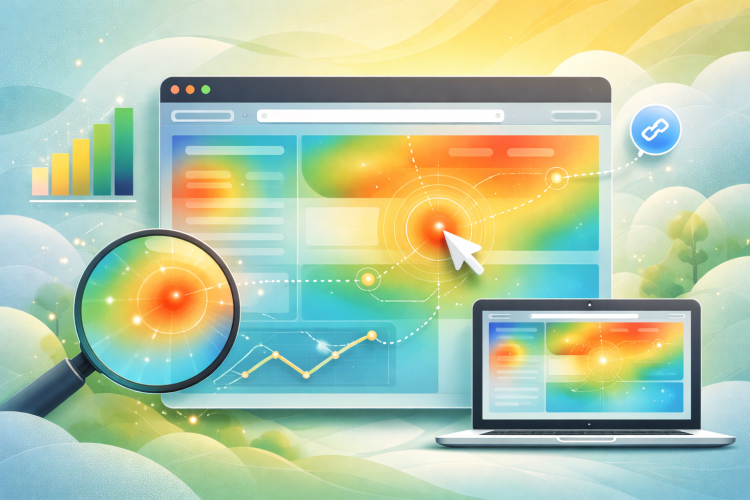
Real-time heatmaps are analytical tools that generate visual representations of user interactions on websites. These tools track and display user activities including clicks, scrolling behavior, and cursor movements, providing data on which website areas receive the highest levels of user engagement. This visualization technology converts complex user behavior data into accessible visual formats that enable rapid identification of interaction patterns.
Real-time heatmaps capture multiple types of user engagement data beyond basic click tracking. The technology records hover duration over specific page elements, which can indicate areas of user interest or potential navigation difficulties.
The real-time nature of these tools allows for immediate analysis of user interaction patterns, facilitating the optimization of user experience and website functionality.
Key Takeaways
- Real time heatmaps provide immediate visual insights into user behavior on your website.
- Link tracking is crucial for identifying which links drive the most conversions.
- Combining heatmaps and link tracking helps optimize website layout and content for better engagement.
- Analyzing user interactions with these tools reveals high-performing content and areas needing improvement.
- Integrating these technologies into your marketing strategy enhances conversion rates and overall website effectiveness.
The Importance of Link Tracking for Conversions
Link tracking is a crucial component of any successful digital marketing strategy. By monitoring how users interact with links on your website, you gain insights into which content drives conversions and which does not. This data is essential for optimizing your marketing efforts and ensuring that you are directing traffic to the most effective pages.
When you track links, you can identify patterns in user behavior, such as which calls to action are most effective or which content resonates best with your audience. Moreover, link tracking allows you to measure the effectiveness of your campaigns in real time. You can see how different marketing channels contribute to conversions and adjust your strategies accordingly.
For instance, if you notice that a specific email campaign is driving significant traffic to a landing page but not resulting in conversions, you can investigate further. Perhaps the landing page needs optimization, or the messaging needs to be refined.
How to Use Real Time Heatmaps to Optimize Your Website

To effectively use real-time heatmaps for website optimization, start by identifying key pages that are critical to your business goals. Once you have selected these pages, implement heatmap tracking tools to gather data on user interactions. As the data begins to accumulate, analyze the heatmaps to identify areas where users are engaging most and where they seem to lose interest.
This analysis will help you pinpoint elements that may need adjustment, such as button placements, content layout, or even color schemes. After gathering insights from the heatmaps, it’s time to take action. Consider A/B testing different versions of your pages based on the data collected.
For example, if a particular call-to-action button is receiving minimal clicks, try repositioning it or changing its color to see if engagement improves. Additionally, pay attention to scroll depth; if users are not scrolling down far enough to see important content, consider revising the layout to encourage more engagement. By continuously iterating based on real-time heatmap data, you can create a more user-friendly website that drives conversions.
Utilizing Link Tracking to Identify High Performing Content
Link tracking is not just about measuring clicks; it’s also about understanding which pieces of content resonate most with your audience. By analyzing the performance of various links across your site, you can identify high-performing content that drives traffic and conversions. This insight allows you to focus your efforts on creating similar content that aligns with user interests and preferences.
To effectively utilize link tracking for this purpose, start by categorizing your content based on performance metrics such as click-through rates and conversion rates. Once you have identified top-performing pieces, analyze what makes them successful. Is it the topic?
The format? The way it’s presented? Understanding these factors will enable you to replicate success in future content creation efforts.
Additionally, consider promoting high-performing content through various channels to maximize its reach and impact.
Analyzing User Behavior with Real Time Heatmaps
| Metric | Description | Typical Value | Impact on Conversion Rate |
|---|---|---|---|
| Click Through Rate (CTR) | Percentage of users who click on a specific link or button | 2% – 10% | Higher CTR indicates better engagement and potential for increased conversions |
| Heatmap Click Density | Number of clicks per area on a webpage visualized in real time | Varies by page element | Identifies hotspots and underperforming areas to optimize layout |
| Average Session Duration | Average time users spend on the site | 2 – 5 minutes | Longer sessions often correlate with higher conversion likelihood |
| Bounce Rate | Percentage of visitors who leave after viewing only one page | 30% – 70% | Lower bounce rates suggest better user engagement and conversion potential |
| Link Tracking Conversion Rate | Percentage of tracked link clicks that result in a conversion | 1% – 5% | Measures effectiveness of specific links in driving conversions |
| Real-Time Click Updates | Frequency of click data refresh (seconds) | 1 – 5 seconds | Enables immediate optimization and A/B testing adjustments |
Real-time heatmaps provide a unique opportunity to analyze user behavior in a way that traditional analytics tools cannot. By visualizing user interactions on your site, you can gain insights into how visitors navigate through your pages and where they encounter obstacles. For instance, if you notice that users frequently click on an image expecting it to be a link but it isn’t clickable, this could indicate a design flaw that needs addressing.
Furthermore, heatmaps can help you understand the effectiveness of your content layout. If users are consistently scrolling past important information without engaging with it, this may suggest that the content is not compelling enough or that its placement is suboptimal. By analyzing these behaviors in real time, you can make immediate adjustments to enhance user experience and drive better engagement.
Improving Conversion Rates with Real Time Heatmaps and Link Tracking

Combining real-time heatmaps with link tracking creates a powerful synergy for improving conversion rates on your website. While heatmaps provide insights into user interactions and engagement levels, link tracking allows you to measure the effectiveness of those interactions in terms of conversions. By analyzing both sets of data together, you can identify which elements of your site are working well and which need improvement.
For example, if a heatmap shows high engagement with a specific section of your landing page but link tracking reveals low conversion rates from that section, it may indicate a disconnect between user interest and the call-to-action presented. In this case, revisiting the messaging or design of the call-to-action could lead to improved conversion rates. By continuously monitoring and adjusting based on these insights, you can create a more effective sales funnel that guides users toward taking desired actions.
Integrating Real Time Heatmaps and Link Tracking into Your Marketing Strategy
Integrating real-time heatmaps and link tracking into your marketing strategy requires a thoughtful approach. Start by setting clear objectives for what you want to achieve with these tools. Whether it’s increasing conversions, improving user experience, or enhancing content engagement, having defined goals will guide your efforts.
Once your objectives are established, choose the right tools that align with your needs and ensure they are properly implemented on your website. As you begin collecting data from both heatmaps and link tracking, regularly review the insights gained and adjust your marketing strategies accordingly. For instance, if certain types of content consistently perform well based on link tracking data, consider creating more of that content or promoting it through targeted campaigns.
Additionally, use heatmap insights to refine your website’s design and layout for optimal user experience. By integrating these tools into your overall marketing strategy, you’ll be better equipped to make informed decisions that drive results.
Best Practices for Implementing Real Time Heatmaps and Link Tracking on Your Website
To maximize the benefits of real-time heatmaps and link tracking, it’s essential to follow best practices during implementation. First and foremost, ensure that you choose reliable tools that offer accurate data collection and reporting capabilities. Look for solutions that provide comprehensive features such as click tracking, scroll depth analysis, and user session recordings for a holistic view of user behavior.
Additionally, regularly review and analyze the data collected from both heatmaps and link tracking. Set aside time each month to assess performance metrics and identify trends or areas for improvement. It’s also important to communicate findings with your team so everyone is aligned on goals and strategies moving forward.
Finally, don’t hesitate to experiment with different approaches based on the insights gained; A/B testing can be particularly effective in determining what resonates best with your audience. By adhering to these best practices and leveraging the power of real-time heatmaps and link tracking, you can create a more engaging website experience that drives conversions and fosters long-term customer relationships.
To enhance your understanding of optimizing conversion rates, you might find the article on why email marketing is better than social media particularly insightful. This resource delves into the effectiveness of email marketing strategies, which can complement the use of real-time click heatmaps and link tracking to boost your overall conversion rates. By integrating these tools, you can gain valuable insights into user behavior and preferences, ultimately leading to more successful marketing campaigns.
FAQs
What are real-time click heatmaps?
Real-time click heatmaps are visual tools that display where users are clicking on a webpage as it happens. They use color-coded overlays to indicate the intensity and frequency of clicks, helping website owners understand user behavior instantly.
How do real-time click heatmaps help boost conversion rates?
By showing exactly where visitors click, real-time click heatmaps help identify which elements attract attention and which are ignored. This insight allows businesses to optimize page layout, improve call-to-action placement, and enhance user experience, ultimately increasing conversion rates.
What is link tracking in the context of website analytics?
Link tracking involves monitoring and analyzing clicks on specific links within a website. It provides data on user engagement with different links, helping marketers understand which links drive traffic, conversions, or other desired actions.
How does link tracking complement real-time click heatmaps?
While click heatmaps visualize overall click patterns, link tracking provides detailed data on individual link performance. Together, they offer comprehensive insights into user interactions, enabling more informed decisions to optimize website elements for better conversions.
Are real-time click heatmaps suitable for all types of websites?
Yes, real-time click heatmaps can be beneficial for various websites, including e-commerce, blogs, landing pages, and corporate sites. They help understand user behavior regardless of the website type, though the specific insights and optimizations may vary.
Do real-time click heatmaps affect website performance?
Most modern click heatmap tools are designed to minimize impact on website speed and performance. However, it is important to choose a reliable tool and implement it correctly to avoid any potential slowdowns.
Is it necessary to have technical expertise to use real-time click heatmaps and link tracking?
Many heatmap and link tracking tools offer user-friendly interfaces that require minimal technical knowledge. Basic understanding of website analytics is helpful, but extensive technical skills are generally not necessary.
Can real-time click heatmaps track clicks on mobile devices?
Yes, most real-time click heatmap tools are compatible with mobile devices and can track user interactions across different screen sizes and platforms.
How can businesses get started with real-time click heatmaps and link tracking?
Businesses can start by selecting a reputable heatmap and link tracking tool, installing the tracking code on their website, and monitoring user interactions. Analyzing the collected data regularly helps identify areas for improvement and implement changes to boost conversion rates.
Are there privacy concerns with using real-time click heatmaps and link tracking?
While these tools collect user interaction data, reputable providers comply with privacy regulations such as GDPR and CCPA. It is important for website owners to inform users about data collection practices and obtain necessary consents.