
Email serves as a fundamental communication tool in modern digital environments for both personal and professional purposes. Email delivery problems frequently occur and can significantly impact communication effectiveness. These issues affect various types of correspondence, including team updates, client communications, and other critical messages.
Email delivery failures present in multiple forms, including messages being filtered into spam folders, complete sending failures, or reception problems. The underlying causes of these issues include technical malfunctions, server misconfigurations, network connectivity problems, and automated spam filtering systems. Additional factors that influence email delivery include sender reputation, authentication protocols, content filtering, and recipient server policies.
Common delivery problems include bounce-back messages, delayed transmission, messages marked as spam, and silent failures where emails appear sent but never reach recipients. Understanding these delivery mechanisms and potential failure points enables users to implement appropriate troubleshooting measures and preventive strategies to maintain reliable email communication.
Key Takeaways
- Email delivery issues often stem from misconfigurations, server problems, or authentication errors.
- Verifying email settings and server status is crucial for diagnosing delivery failures.
- Spam filters and junk folder placements can block or delay test emails.
- Using tracking tools and analyzing bounce-back messages helps identify specific delivery problems.
- Following best practices and consulting support can prevent and resolve future email delivery challenges.
Common Causes of Test Email Delivery Issues
When you send a test email, you expect it to arrive promptly and without complications. However, several common causes can lead to delivery issues that may leave you scratching your head. One prevalent reason is incorrect email addresses.
A simple typo in the recipient’s address can result in undelivered messages, so it’s vital to double-check the accuracy of the addresses you input. Additionally, if the recipient’s inbox is full or if their email server is experiencing downtime, your message may not reach them at all. Another significant factor contributing to email delivery issues is the configuration of your email server.
If your server settings are not correctly aligned with industry standards, your emails may be flagged as suspicious by recipient servers. This can lead to your messages being filtered into spam folders or outright rejected. Understanding these common pitfalls is the first step toward ensuring that your emails are delivered successfully and received by your intended audience.
Checking Email Settings and Configurations
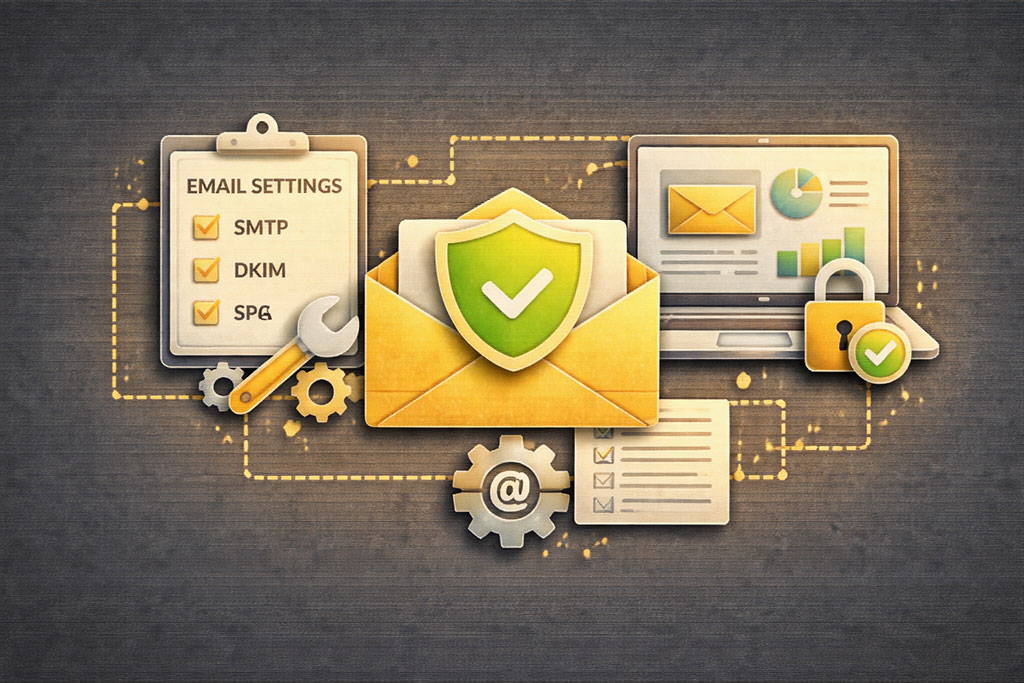
To tackle email delivery issues effectively, you must first examine your email settings and configurations. Start by reviewing your outgoing mail server settings, including the SMTP server address and port number. If these settings are incorrect, your emails may fail to send altogether.
Additionally, ensure that you are using the correct authentication methods required by your email service provider. Misconfigured settings can lead to a host of problems that prevent successful email delivery.
Moreover, it’s essential to verify that your domain’s DNS records are set up correctly.
This includes checking SPF (Sender Policy Framework) and DKIM (DomainKeys Identified Mail) records, which help authenticate your emails and improve deliverability. If these records are missing or incorrectly configured, recipient servers may reject your emails or classify them as spam. By taking the time to meticulously check and adjust your email settings, you can significantly enhance the likelihood of successful email delivery.
Verifying Email Server Status
Another critical step in resolving email delivery issues is verifying the status of your email server. If your server is down or experiencing technical difficulties, it can lead to delays or failures in sending and receiving emails. You can check the status of your email server by accessing your service provider’s status page or contacting their support team for updates.
If there are known outages or maintenance activities underway, it’s best to wait until the issue is resolved before attempting to send emails again. In addition to checking for outages, consider monitoring the performance of your email server regularly. Tools that provide insights into server uptime and performance metrics can help you identify potential issues before they escalate into significant problems.
By staying informed about your server’s status, you can proactively address any concerns that may arise and ensure that your email communications remain uninterrupted.
Troubleshooting Email Authentication Problems
| 1 | Check Spam/Junk Folder | Verify if test emails are being filtered incorrectly | Identify if emails are misclassified as spam |
| 2 | Verify Email Address | Ensure the recipient email address is correct | Prevent sending to wrong or non-existent addresses |
| 3 | Review Email Server Logs | Check for delivery errors or blocks | Identify technical issues or rejections |
| 4 | Check SPF, DKIM, and DMARC Records | Authenticate your domain to improve deliverability | Reduce chances of emails being marked as spam |
| 5 | Test with Different Email Providers | Determine if issue is provider-specific | Isolate problem to specific inbox or domain |
| 6 | Use Email Testing Tools | Analyze email content and headers for issues | Identify spam triggers or formatting problems |
| 7 | Check Sending Limits and Quotas | Ensure you have not exceeded sending thresholds | Prevent emails from being blocked due to limits |
| 8 | Contact Email Service Provider Support | Get assistance for unresolved delivery issues | Receive guidance or fixes from provider |
Email authentication plays a crucial role in ensuring that your messages are delivered successfully and not flagged as spam. If you’re experiencing delivery issues, it’s essential to troubleshoot any authentication problems that may be affecting your emails. Start by checking whether your SPF and DKIM records are correctly configured in your domain’s DNS settings.
These records help verify that your emails are genuinely coming from your domain and not being spoofed by malicious actors. Additionally, consider implementing DMARC (Domain-based Message Authentication, Reporting & Conformance) policies for added security and deliverability assurance. DMARC provides instructions to recipient servers on how to handle unauthenticated emails from your domain, further reducing the chances of your messages being marked as spam.
By addressing authentication issues proactively, you can enhance the credibility of your emails and improve their chances of reaching the inbox.
Investigating Spam and Junk Folder Placement

One of the most frustrating aspects of email delivery issues is when your carefully crafted messages end up in spam or junk folders instead of the intended inboxes. To combat this problem, it’s essential to investigate why this might be happening. Start by reviewing the content of your emails; certain keywords or phrases commonly associated with spam can trigger filters that redirect your messages away from the inbox.
Additionally, consider the reputation of your sending domain and IP address. If you’ve previously sent emails that were marked as spam or if you’re using a shared IP address with a poor reputation, it could negatively impact your deliverability rates. Regularly monitoring your domain’s reputation through various online tools can help you identify potential issues and take corrective action before they affect future email deliveries.
Testing Email Delivery with Different Email Clients
To gain a comprehensive understanding of your email delivery issues, it’s beneficial to test how your messages perform across different email clients and platforms. Different clients may interpret emails differently based on their unique rendering engines and spam filtering algorithms. By sending test emails to various clients—such as Gmail, Outlook, Yahoo Mail, and others—you can observe how each handles your messages.
This testing process allows you to identify any inconsistencies in formatting or deliverability across platforms. If certain clients consistently flag your emails as spam while others do not, it may indicate specific issues related to content or authentication that need addressing. By understanding how different clients interact with your emails, you can make informed adjustments to improve overall deliverability.
Addressing Email Bounce Backs and Error Messages
When sending emails, encountering bounce backs or error messages can be disheartening. These notifications indicate that something went wrong during the delivery process, preventing your message from reaching its destination. To address these issues effectively, start by carefully reading the bounce back message for clues about what went wrong.
Common reasons for bounce backs include invalid email addresses, full inboxes, or temporary server issues. Once you’ve identified the cause of the bounce back, take appropriate action to rectify it. If an email address is invalid, consider reaching out to the recipient through alternative means to confirm their correct address.
For temporary server issues, patience may be required; simply wait a while before attempting to resend the message.
By systematically addressing bounce backs and error messages, you can improve your overall email delivery success rate.
Utilizing Email Tracking and Delivery Confirmation Tools
In an age where communication efficiency is paramount, utilizing email tracking and delivery confirmation tools can provide valuable insights into the status of your sent messages. These tools allow you to monitor whether recipients have opened your emails or clicked on any links within them. By gaining visibility into recipient engagement, you can better understand how well your emails are performing and identify any potential delivery issues.
Moreover, many tracking tools offer features that alert you when an email bounces back or fails to deliver successfully. This real-time feedback enables you to take immediate action on problematic messages rather than waiting for recipients to inform you about non-receipt. By leveraging these tools effectively, you can enhance your email strategy and ensure that important communications reach their intended audience.
Seeking Help from Email Service Providers or IT Support
If you’ve exhausted all troubleshooting options yet still face persistent email delivery issues, it may be time to seek assistance from your email service provider or IT support team. These professionals possess specialized knowledge and resources that can help diagnose complex problems that may be beyond your expertise. When reaching out for help, be prepared to provide detailed information about the issues you’re experiencing, including any error messages you’ve encountered and steps you’ve already taken to resolve them.
Your service provider may conduct a thorough investigation into their systems and configurations to identify any underlying problems affecting deliverability. They may also offer recommendations for best practices tailored specifically to your situation. By collaborating with experts in the field, you can gain valuable insights and solutions that will ultimately enhance your email communication experience.
Preventing Future Email Delivery Issues through Best Practices
To minimize the risk of encountering email delivery issues in the future, adopting best practices is essential for maintaining a healthy email environment. Start by regularly cleaning up your mailing lists to remove invalid or inactive addresses; this will help reduce bounce rates and improve overall deliverability. Additionally, ensure that you’re following industry standards for email content and design—this includes avoiding spammy language and optimizing for mobile devices.
Furthermore, consider implementing a consistent sending schedule for your emails; this helps establish a positive reputation with recipient servers over time. Regularly monitor key metrics related to open rates and engagement levels to identify trends that may indicate potential issues before they escalate into significant problems. By proactively adopting these best practices, you can create a robust framework for successful email communication that minimizes disruptions and enhances overall effectiveness.
In conclusion, navigating email delivery issues requires a multifaceted approach that encompasses understanding common causes, checking configurations, troubleshooting authentication problems, and leveraging available tools for tracking and support. By taking proactive steps and adhering to best practices, you can significantly improve the reliability of your email communications and ensure that important messages reach their intended recipients without unnecessary complications.
If you’re facing issues with your test emails not arriving in the inbox, it’s essential to consider best practices in email marketing to improve deliverability. For more insights, you can check out this article on email marketing best practices, which provides valuable tips on how to ensure your emails reach their intended recipients effectively.
FAQs
Why are my test emails not arriving in the inbox?
Test emails may not arrive in the inbox due to issues such as incorrect email addresses, spam filters blocking the message, server configuration problems, or delays in email delivery systems.
How can I check if my test email was sent successfully?
You can verify if a test email was sent by checking the email sending application’s logs, the “Sent” folder of the email client, or using email delivery tracking tools provided by your email service provider.
What should I do if my test emails are going to the spam folder?
If test emails are landing in the spam folder, ensure your email content is not triggering spam filters, authenticate your emails with SPF, DKIM, and DMARC records, and ask recipients to mark your email as “Not Spam.”
Can incorrect DNS settings affect test email delivery?
Yes, incorrect DNS settings such as missing or misconfigured SPF, DKIM, or DMARC records can cause email servers to reject or mark your emails as spam, preventing them from reaching the inbox.
Is it possible that email server delays are causing test emails to not appear immediately?
Yes, email servers can experience delays due to high traffic, maintenance, or technical issues, which may cause test emails to arrive late or not appear immediately in the inbox.
How do I troubleshoot if my test emails are not arriving?
To troubleshoot, verify the recipient email address, check spam or junk folders, review email server logs, confirm proper DNS authentication settings, test with different email providers, and ensure your sending IP is not blacklisted.
Can email client settings affect the receipt of test emails?
Yes, email client filters, rules, or blocked sender lists can prevent test emails from appearing in the inbox. Reviewing and adjusting these settings may resolve the issue.
Should I contact my email service provider if test emails are not arriving?
If you have ruled out common issues and test emails still do not arrive, contacting your email service provider or IT support can help identify server-side problems or configuration errors.