
You’ve poured your heart and soul into your business. You’ve got a fantastic product or service, a compelling brand story, and a website that shines. But how do you consistently reach your audience, nurture leads, and convert them into loyal customers? The answer, for many businesses, lies in the power of professional marketing emails. Yet, merely sending emails isn’t enough. To truly succeed, you need to design emails that not only capture attention but also build unwavering trust with your subscribers.
Before you even think about subject lines or call-to-actions, you must deeply understand who you’re talking to. Trust isn’t built in a vacuum; it’s forged through relevance and empathy. When your emails resonate with your audience’s needs, desires, and pain points, you’re halfway to building that crucial connection.
Who Are You Talking To?
Think beyond demographics. While age, location, and income are important, delve into psychographics. What are their aspirations? What problems do they face daily that your product or service can solve? What are their values? Are they budget-conscious, quality-driven, or environmentally aware? Creating detailed buyer personas is an invaluable exercise here. Give your ideal customer a name, a job, and even a fictional backstory. This level of understanding will inform every design and content decision you make.
What Do They Value?
Once you know who they are, consider what truly matters to them when it comes to communication. Do they appreciate straightforward, concise information, or do they prefer a more detailed, storytelling approach? Are they looking for discounts, educational content, or exclusive sneak peeks? Tailor your email content and design to reflect these values. If they value transparency, be transparent. If they value efficiency, make your emails easy to scan and digest.
What Are Their Pain Points?
Every purchase is, at its core, a solution to a problem. What problems does your audience encounter regularly? How does your offering alleviate those problems? Your emails should subtly, or sometimes overtly, address these pain points. Show empathy and demonstrate that you understand their struggles. For instance, if you sell productivity software, your emails might highlight the frustration of missed deadlines or disorganized workflows. By acknowledging their pain, you position yourself as a helpful solution provider, not just a seller.
If you’re looking to enhance your email marketing strategy further, you might find the article on “The Importance of Personalization in Email Marketing” particularly insightful. This piece delves into how tailoring your messages to individual recipients can significantly increase engagement and trust. For more information, you can read it here: The Importance of Personalization in Email Marketing.
Crafting Compelling Content That Resonates
Once you understand your audience, the next step is to craft content that speaks directly to them. This isn’t about being pushy or salesy; it’s about providing value, establishing authority, and fostering a genuine connection.
Personalization Beyond the Name
Simply inserting “Hi [First Name],” isn’t enough anymore. True personalization goes deeper. Leverage the data you have collected about your subscribers – their past purchases, browsing history, engagement with previous emails, or even their declared preferences – to send highly targeted and relevant content.
- Segment Your List: Don’t send the same email to everyone. Segment your audience based on behavior, demographics, interests, and their position in your sales funnel. A new subscriber will receive different content than a long-time customer.
- Dynamic Content: Use email marketing platforms that allow for dynamic content blocks. This means different sections of your email can change based on the recipient’s profile. For example, you might show different product recommendations to someone who has previously purchased from you versus someone who hasn’t.
- Behavior-Triggered Emails: Set up automated emails that respond to specific actions (or inactions) by your subscribers. A welcome series, abandoned cart reminders, post-purchase follow-ups, or re-engagement campaigns are all powerful tools for building trust and relevance.
Provide Value, Not Just Promotions
While promotional emails have their place, relying solely on discounts will quickly erode trust and engagement. Your emails should primarily serve as a source of value for your subscribers.
- Educational Content: Share blog posts, whitepapers, webinars, or tips and tricks related to your industry. Position yourself as an expert and a helpful resource.
- Behind-the-Scenes Glimpses: Humanize your brand by sharing stories about your team, your company culture, or the process behind your products. This transparency builds a powerful connection.
- Customer Stories and Testimonials: Showcase how your product or service has positively impacted others. Social proof is incredibly effective in building trust.
- Exclusive Content: Offer your email subscribers access to content, early bird specials, or insights that aren’t available elsewhere. This makes them feel special and valued.
Master the Art of Storytelling
Humans are hardwired for stories. Instead of simply listing features, weave narratives that connect with your audience on an emotional level.
- Problem-Solution Narratives: Introduce a common problem, then present your product or service as the compelling solution.
- Brand Origin Stories: Share the journey of your brand, its values, and what drives you. Authenticity is a trust-builder.
- Customer Success Stories: Highlight real-life examples of how your product or service has transformed lives or businesses.
Designing for Clarity, Consistency, and Professionalism
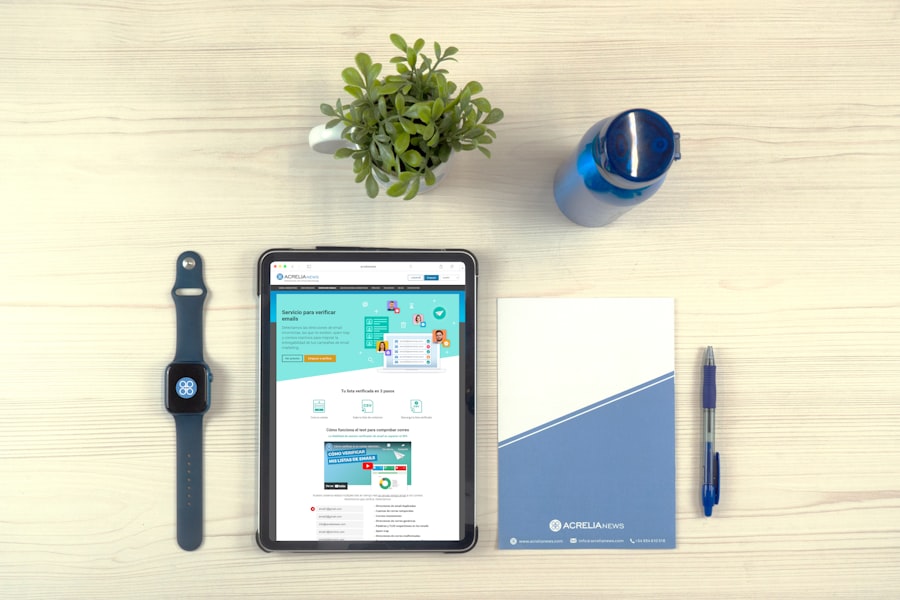
The visual presentation of your email plays a crucial role in establishing professionalism and trustworthiness. A cluttered, poorly designed, or inconsistent email can immediately turn off subscribers, regardless of how good your content is.
Clean and Intuitive Layouts
Your emails should be easy to read and navigate. Think about the user experience (UX) from the moment they open your email.
- Hierarchy of Information: Use clear headings, subheadings, and bullet points to break up text and guide the reader’s eye. The most important information should be immediately apparent.
- Ample White Space: Don’t cram too much content into a small space. White space improves readability and makes your email feel less overwhelming.
- Single-Column Layouts: These are generally best for mobile readability and ensure a consistent experience across devices.
- Keep it Concise: Get straight to the point. People scan emails, they don’t typically read them word-for-word. Use short paragraphs and impactful sentences.
Consistent Branding Across All Touchpoints
Your email should instantly be recognizable as coming from your brand. Consistency reinforces your brand identity and builds familiarity, which in turn fosters trust.
- Logo Placement: Your logo should be prominently displayed, typically at the top of the email.
- Brand Colors and Fonts: Use your brand’s official color palette and approved fonts. This creates a cohesive visual experience.
- Tone of Voice: Ensure the language and tone used in your emails align with your overall brand voice. Are you formal, friendly, witty, or authoritative? Maintain that consistency.
- Imagery Style: If you use images, ensure they are high-quality, relevant, and consistent with your brand’s visual aesthetic. Avoid generic stock photos if possible.
Mobile-First Responsiveness
With a significant portion of emails now opened on mobile devices, ensuring your emails are mobile-friendly is non-negotiable. An email that looks great on a desktop but is broken or unreadable on a phone is a massive trust deterrent.
- Responsive Design: Use templates that automatically adjust to different screen sizes. Test your emails on various devices and email clients before sending.
- Large, Tappable Buttons: Make call-to-action buttons large enough to be easily tapped on a mobile screen.
- Avoid Tiny Text: Ensure your font sizes are legible on smaller screens.
- Optimized Images: Compress images to reduce file size, which helps with faster loading times on mobile data.
Mastering the Technicalities: Deliverability and Security

Even the most beautifully designed and thoughtfully written email is useless if it doesn’t reach the inbox or, worse, if it triggers security concerns. Technical aspects of email marketing are foundational to building and maintaining trust.
Prioritizing Deliverability
Your sender reputation is paramount. A poor sender reputation can lead to your emails consistently landing in spam folders, eroding the trust you’re working so hard to build.
- Authentication (SPF, DKIM, DMARC): Implement these email authentication protocols. They verify that your emails are legitimately coming from your domain, preventing spoofing and improving deliverability.
- Clean Email List Management: Regularly clean your email list by removing inactive subscribers, invalid email addresses, and hard bounces. Sending to a list full of unengaged contacts signals to email providers that your emails aren’t valuable.
- Avoid Spam Trigger Words: Be mindful of words and phrases that commonly trigger spam filters (e.g., “free,” “earn money fast,” excessive exclamation points).
- Maintain a Good Sending Volume: Avoid sending massive, sudden spikes in email volume, especially if you have a new IP address or domain. Gradually increase your sending volume.
Ensuring Data Privacy and Security
In an age of heightened data privacy concerns, demonstrating your commitment to protecting subscriber data is a powerful trust-builder.
- GDPR, CCPA, and Other Compliance: Ensure your email marketing practices comply with relevant data privacy regulations like GDPR (Europe) and CCPA (California). This includes clear consent for collecting data and providing easy ways for users to manage their preferences.
- Clear Privacy Policy: Link to your privacy policy prominently in your emails. This demonstrates transparency about how you handle their data.
- Secure Opt-in Processes: Use double opt-in whenever possible. This verifies that the subscriber genuinely wants to receive your emails, reducing spam complaints and building a more engaged list.
- Secure Payment Links: If your emails contain links to purchase products, ensure those links go to secure, encrypted payment pages (HTTPS).
In the quest to enhance your email marketing strategy, you might find it beneficial to explore an article that delves into the importance of personalization in email campaigns. Personalization can significantly increase engagement and foster a deeper connection with your audience. For insights on this topic, check out this informative piece on personalization in email marketing, which complements the strategies outlined in “How to Design Professional Marketing Emails That Build Trust.” By integrating these techniques, you can create emails that not only look professional but also resonate with your recipients on a personal level.
The Power of the Opt-Out: Respect and Transparency
| Metrics | Results |
|---|---|
| Open Rate | 25% |
| Click-Through Rate | 10% |
| Conversion Rate | 5% |
| Unsubscribe Rate | 2% |
| Engagement Rate | 15% |
While it might seem counterintuitive, providing a clear and easy way for subscribers to unsubscribe is a critical component of building trust. It demonstrates respect for their choices and transparency in your practices.
Easy and Visible Unsubscribe Option
Never hide your unsubscribe link. It should be clearly visible, typically in the footer of your email. Making it difficult to unsubscribe only frustrates users and increases the likelihood of them marking your emails as spam, which severely damages your sender reputation.
- One-Click Unsubscribe: Ideally, offer a one-click unsubscribe option. While some platforms may require a confirmation page, the goal is to make the process as frictionless as possible.
- Clear Labeling: Use clear and unambiguous language for your unsubscribe link (e.g., “Unsubscribe,” “Manage Preferences”).
Preference Centers, Not Just Unsubscribe
Instead of a blanket unsubscribe, offer your subscribers a preference center where they can customize the types of emails they receive. This empowers them and can prevent them from fully opting out.
- Granular Options: Allow them to choose specific topics of interest, frequency of emails (daily, weekly, monthly), or opt out of certain types of campaigns (e.g., promotional, newsletter).
- Clear Explanation: Explain the benefits of managing preferences – they’ll receive more relevant content and fewer unwanted emails.
Acknowledging and Acting on Feedback
Sometimes, subscribers will provide a reason for unsubscribing. Pay attention to this feedback. It’s a valuable source of insight into what might not be working in your email strategy.
- Survey on Unsubscribe Page: Briefly ask for feedback on why they are unsubscribing. Keep it short and optional.
- Analyze Trends: Look for patterns in unsubscribe reasons. Are too many people complaining about frequency? Irrelevance? This data can inform improvements to your email strategy, ultimately helping you retain other subscribers.
By focusing on these core principles – understanding your audience, crafting compelling content, designing for clarity and professionalism, mastering technicalities, and respecting subscriber choices – you can transform your marketing emails from mere messages into powerful trust-building tools. Remember, trust is earned, not given, and consistent effort in these areas will yield significant returns in customer loyalty and business growth.
FAQs
What are the key elements of a professional marketing email that builds trust?
The key elements of a professional marketing email that builds trust include a clear and concise subject line, personalized content, a professional design, a clear call to action, and relevant and valuable information for the recipient.
How can I personalize marketing emails to build trust with my audience?
Personalizing marketing emails can be achieved by using the recipient’s name in the email, segmenting your email list to send targeted content, and using data to personalize the content based on the recipient’s past interactions with your brand.
What are some best practices for designing professional marketing emails?
Best practices for designing professional marketing emails include using a clean and professional layout, incorporating your brand’s colors and logo, optimizing for mobile devices, using high-quality images, and including a clear and compelling call to action.
How can I ensure that my marketing emails provide valuable information to my audience?
To ensure that your marketing emails provide valuable information to your audience, you can conduct market research to understand their needs and interests, create content that addresses their pain points, and provide educational and informative content that adds value to their inbox.
What are some tips for building trust with my audience through marketing emails?
Some tips for building trust with your audience through marketing emails include being transparent and honest in your communication, delivering on your promises, respecting your audience’s privacy and preferences, and consistently providing valuable and relevant content.