Email is an indispensable tool in today’s digital landscape. Whether for personal correspondence, professional communication, or marketing campaigns, you rely on it daily. But with the sheer volume of emails exchanged, a significant portion of what lands in your inbox isn’t always welcome. This unwanted, unsolicited mail is what you call spam, and it’s a persistent annoyance that clogs your inbox, wastes your time, and can even pose security risks. To combat this digital deluge, email service providers employ sophisticated spam filters. Understanding how these filters work and, more importantly, how to avoid them is crucial for ensuring your legitimate emails reach their intended recipients.
The Role of Spam Filters: Your Digital Gatekeepers
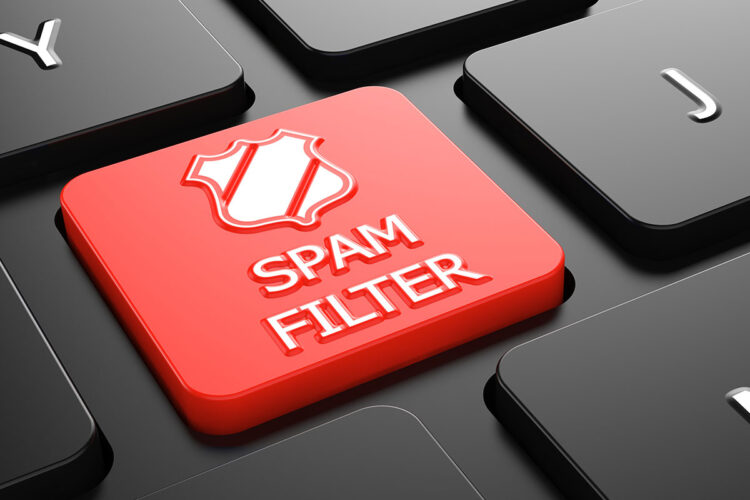
Spam filters are essentially the gatekeepers of your inbox. Their primary function is to analyze incoming emails and determine whether they are legitimate or spam. They act as a crucial line of defense, protecting you from malicious content, phishing attempts, and simply unwanted clutter. Without them, your inbox would be an unusable mess, inundated with promotional offers for products you don’t need and scams designed to steal your information.
How Do Spam Filters Work? A Multi-Layered Approach
Spam filtering isn’t a single, monolithic process. Instead, it’s a sophisticated, multi-layered system that employs various techniques to identify and quarantine suspicious emails. These systems are constantly evolving, adapting to new spamming techniques, making it a continuous arms race between spammers and filter developers.
- Content Analysis: This is one of the most fundamental aspects of spam filtering. Filters analyze the text within your email, looking for keywords and phrases commonly associated with spam. This includes terms like “free,” “winner,” “urgent,” “limited time offer,” as well as misspellings, excessive capitalization, and unusual punctuation.
- Keyword Blacklists: Filters maintain extensive lists of words and phrases known to be indicative of spam. If your email contains a significant number of these terms, it’s more likely to be flagged.
- Heuristic Analysis: This goes beyond simple keyword matching. Heuristic analysis looks for patterns and characteristics of spam. For example, an email with a very short subject line, a long body of text, and numerous embedded images might be flagged, even if it doesn’t contain obvious spam keywords.
- Bad Grammar and Spelling: Spammers often disregard proper grammar and spelling, either due to carelessness or as an attempt to bypass sophisticated text-based filters. Spam filters are trained to identify these errors as potential indicators of spam.
- Header Analysis: The email header contains a wealth of information about the sender, the route the email took, and its authentication status. Spam filters scrutinize these headers for inconsistencies or suspicious attributes.
- Sender Information: Filters check the “From” address to see if it’s spoofed or if the domain has a poor reputation.
- IP Address Reputation: The IP address of the sending server is assessed. If it’s a known spamming IP or has a low reputation score, your email is likely to be blocked.
- Authentication Protocols (SPF, DKIM, DMARC): These protocols verify the legitimacy of the sender and the integrity of the email. A missing or invalid SPF, DKIM, or DMARC record significantly increases the chances of your email being flagged as spam.
- Sender Reputation: This is a crucial factor. Every sender, whether an individual or a large organization, has a reputation score maintained by email service providers. This score is based on various factors.
- Bounce Rates: High bounce rates (emails that fail to deliver) indicate a poor quality mailing list or potentially spammy sending practices.
- Complaint Rates: If recipients frequently mark your emails as spam, your sender reputation will plummet.
- Engagement Metrics: Conversely, high open rates, click-through rates, and replies indicate that recipients value your content, improving your sender reputation.
- Blacklists: Email service providers subscribe to various blacklists that identify known spammers. If your sending IP or domain ends up on one of these lists, your emails will be blocked universally.
- Behavioral Analysis: Modern spam filters also learn from user behavior. If many recipients mark your emails as spam, the filter will learn to categorize similar emails as spam in the future.
- User Feedback: When you click “Mark as Spam,” you’re actively contributing to the filter’s learning process.
- Honeypots: These are decoy email addresses set up by filter providers to trap spammers. Any email sent to a honeypot is automatically considered spam, and the sender’s IP address and domain are immediately blacklisted.
In addition to understanding why marketing emails trigger spam filters and how to avoid it, you may find the article on Email Deliverability Tips particularly useful. This article provides insights into best practices for improving your email campaigns, ensuring that your messages reach your audience’s inbox instead of getting caught in spam filters. By implementing the strategies discussed in both articles, you can enhance your email marketing effectiveness and maintain better communication with your subscribers.
Common Reasons Your Emails Land in Spam (Even When They Shouldn’t)

You might be sending a perfectly legitimate email, but it still ends up in the spam folder. This can be incredibly frustrating, especially for businesses trying to reach customers or individuals sending important information. Understanding the common pitfalls can help you avoid them.
Poor Email Content Practices
The way you craft your email content plays a significant role in how spam filters perceive it. Certain practices, even if unintentional, can trigger filters.
- Spam Trigger Words: As mentioned, overuse of words like “free,” “guarantee,” “win,” “cash,” “discount,” “urgent,” “miracle,” “opportunity,” or “act now” can set off alarms. While these words aren’t inherently spam, their frequent appearance in unwanted emails has made them red flags.
- Excessive Use of Capitalization and Exclamation Marks: YOU ARE SHOUTING! THIS IS URGENT!!! Such formatting is often associated with aggressive marketing and spam. Use capitalization and exclamation marks sparingly and only when genuinely necessary for emphasis.
- Suspicious Links and Attachments: Embedding too many links, especially to untrusted or unknown domains, can be a red flag. Similarly, large attachments, or attachments with unusual file types, can trigger filters due to potential malware risks.
- Image-Only Emails: Emails consisting solely of a large image with little or no text are often flagged. Spammers use this technique to bypass text-based filters. Ensure a good text-to-image ratio in your emails.
- Irrelevant Subject Lines: Your subject line should accurately reflect the content of your email. Misleading or overly promotional subject lines are a common spam indicator.
- HTML and CSS Issues: Poorly coded HTML, excessive use of inline CSS, or complex layouts can sometimes be interpreted as an attempt to obfuscate content and trigger filters.
Technical Configuration Issues
Beyond the content, technical aspects of your email setup can also lead to spam flagging. These are often overlooked but are critical for deliverability.
- Missing or Invalid Authentication Records (SPF, DKIM, DMARC): This is perhaps the most significant technical factor. SPF (Sender Policy Framework) specifies which mail servers are authorized to send email on behalf of your domain. DKIM (DomainKeys Identified Mail) adds a digital signature to your emails, verifying their authenticity. DMARC (Domain-based Message Authentication, Reporting, and Conformance) builds upon SPF and DKIM, providing instructions to receiving mail servers on how to handle emails that fail authentication. If these records are missing or incorrectly configured, your emails will be highly susceptible to being marked as spam.
- Poor Sending IP Reputation: If you’re sending emails from a shared IP address that has been used by spammers, your emails will suffer. Similarly, if your own IP address has a history of sending spam or generating complaints, your reputation will be low.
- Sending from a Newly Created Domain or IP: New domains and IP addresses lack a sending history. Email providers are often cautious about traffic from new senders to prevent spam, so it takes time to build a positive reputation.
- Not Using a Custom Domain: Sending emails from a generic email address (e.g., @gmail.com, @outlook.com) for business or marketing purposes can be seen as less professional and sometimes triggers filters, especially for bulk sending.
- Incorrectly Configured Mail Server: Issues with your mail server, such as misconfigured reverse DNS (rDNS) records, can also lead to deliverability problems.
Recipient Engagement and List Management
How your recipients interact with your emails and how you manage your mailing list profoundly impact your sender reputation.
- High Bounce Rates: Sending emails to invalid or non-existent addresses results in “bounces.” A consistently high bounce rate signals to email providers that your list is outdated or poorly acquired, harming your reputation.
- Hard Bounces: Indicate a permanent delivery failure (e.g., the email address doesn’t exist). These should be removed from your list immediately.
- Soft Bounces: Indicate a temporary delivery failure (e.g., the recipient’s inbox is full). While less severe, a high number of soft bounces over time can still be detrimental.
- High Complaint Rates: If a significant number of your recipients mark your emails as spam, email providers take notice. This is a strong negative signal that indicates your emails are unwanted.
- Low Engagement Rates: If recipients aren’t opening your emails, clicking on your links, or replying, it suggests that your content isn’t relevant or valuable to them. While not a direct spam trigger, low engagement can indirectly lower your sender reputation over time.
- Sending to Unsubscribed Users: Continuing to send emails to individuals who have unsubscribed is a major violation of email best practices and can lead to severe penalties, including blacklisting.
- Purchased or Scraped Email Lists: Never, under any circumstances, buy or scrape email lists. These lists are typically full of invalid addresses, spam traps, and users who never opted in to receive your emails. This practice will instantly destroy your sender reputation and lead to blacklisting.
Strategies to Avoid Spam Filters and Improve Deliverability
Now that you understand why emails land in spam, you can implement proactive strategies to ensure your messages reach the inbox.
In exploring the intricacies of email marketing, a related article that delves deeper into the nuances of email deliverability is essential for understanding the broader context. For instance, you might find valuable insights in the article on email deliverability tips, which discusses various factors that influence whether your emails land in the inbox or get trapped by spam filters. This connection can enhance your strategy and help you avoid common pitfalls in your marketing campaigns.
Optimize Your Email Content
Crafting engaging, valuable, and compliant content is paramount for good deliverability.
- Write Compelling and Clear Subject Lines: Your subject line is your first impression. Make it concise, relevant, and intriguing. Avoid clickbait or misleading language. Personalization can also improve open rates.
- Avoid Spam Trigger Words and Phrases: Review your content for common spam trigger words. While you don’t need to eliminate every single one, their excessive use should be avoided.
- Maintain a Healthy Text-to-Image Ratio: Don’t rely solely on images to convey your message. Include sufficient text. If you must use images, use descriptive alt text.
- Proofread Meticulously: Grammatical errors and typos can signal carelessness and unprofessionalism, which some filters might interpret as a spam indicator.
- Personalize Your Emails (When Appropriate): Addressing recipients by name and tailoring content to their interests can significantly improve engagement and signal to filters that your emails are relevant.
- Provide Clear Calls to Action (CTAs): A clear, concise CTA helps guide the recipient and indicates purpose, rather than just a stream of promotional text.
- Design for Readability: Use clear fonts, adequate line spacing, and break up large blocks of text to make your emails easy to read on all devices.
Implement and Maintain Technical Best Practices
These technical configurations are foundational for good email deliverability.
- Set Up and Validate SPF, DKIM, and DMARC Records: This is non-negotiable. Work with your IT team or hosting provider to ensure these authentication protocols are correctly configured for your domain. Regularly verify their status using online tools.
- Use a Reputable Email Service Provider (ESP) or SMTP Service: If you’re sending bulk emails, don’t try to do it from your personal email account. ESPs like Mailchimp, SendGrid, Constant Contact, or Amazon SES have established sending infrastructures and positive IP reputations.
- Monitor Your Sending IP and Domain Reputation: Use tools like MXToolbox, SenderScore, or Google Postmaster Tools to regularly check your IP and domain reputation. Address any negative feedback promptly.
- Ensure Your Mail Server is Properly Configured: Confirm that your reverse DNS (rDNS) records are set up correctly and that your server is not on any blacklists.
- Warm Up New Sending IPs/Domains: If you’re using a new IP address or domain for sending, start with small volumes of emails to engaged recipients and gradually increase the volume over time. This helps build a positive sending history.
Optimize Your Email List and Sending Habits
Your list quality and sending practices are critical determinants of your long-term deliverability.
- Build Your List Organically (Opt-in Only): Never buy or scrape email lists. Only send to individuals who have explicitly opted in to receive your emails. Use double opt-in whenever possible, where recipients confirm their subscription after signing up.
- Regularly Clean Your Email List: Remove hard bounces immediately. Implement a re-engagement strategy for inactive subscribers (those who haven’t opened or clicked in a long time). If they still don’t engage, remove them to protect your sender reputation.
- Provide a Clear and Easy-to-Use Unsubscribe Option: This is legally required in many regions (e.g., CAN-SPAM, GDPR). Make it prominent and functional. It’s better for someone to unsubscribe than to mark your email as spam.
- Segment Your Audience and Personalize Content: Sending relevant content to segmented groups significantly increases engagement. Don’t send the same email to your entire list if different segments have different interests.
- Monitor Your Engagement Metrics: Keep a close eye on your open rates, click-through rates, and unsubscribe rates. Low open rates or high unsubscribe rates are early warning signs of deliverability issues.
- Avoid Sending Too Frequently (or Not Frequently Enough): Find the right sending frequency for your audience. Too many emails can lead to fatigue and spam complaints; too few can lead to disengagement.
Test Your Emails Before Sending
Never send an important email campaign without thoroughly testing it first.
- Use Email Testing Tools: Services like Email on Acid or Litmus allow you to preview how your email will appear across various email clients and devices. They also often include spam filter tests that can give you an indication of potential issues.
- Send Test Emails to Yourself and Colleagues: Send your email to a variety of email addresses (Gmail, Outlook, Yahoo, corporate accounts) to see where it lands. Check the spam folders for each.
- Review Spam Filter Reports (If Available): Some ESPs and Postmaster Tools provide reports on how your emails are being categorized by major email providers. Analyze these reports to identify areas for improvement.
By understanding the intricate workings of spam filters and diligently applying these best practices, you can dramatically improve your email deliverability. Your goal is not to “trick” spam filters, but to demonstrate to them that you are a legitimate, responsible sender providing valuable content to your recipients. Consistent effort in these areas will ensure your messages consistently land in the inbox, where they belong.
FAQs
What are spam filters in marketing emails?
Spam filters are algorithms used by email service providers to identify and block unsolicited or unwanted emails from reaching a user’s inbox. These filters analyze various factors such as email content, sender reputation, and user engagement to determine whether an email is spam or not.
Why do marketing emails trigger spam filters?
Marketing emails can trigger spam filters for several reasons, including using spammy language or excessive use of sales-driven content, sending emails to inactive or purchased email lists, and having a poor sender reputation due to high spam complaints or low engagement rates.
How can marketers avoid triggering spam filters?
Marketers can avoid triggering spam filters by using clear and relevant subject lines, personalizing email content, avoiding spammy language and excessive use of sales-driven content, regularly cleaning and maintaining their email lists, and following best practices for email authentication and sender reputation management.
What are the consequences of triggering spam filters for marketing emails?
The consequences of triggering spam filters for marketing emails include a decrease in email deliverability, lower open and click-through rates, damage to sender reputation, and potential blacklisting by email service providers, which can significantly impact the success of email marketing campaigns.
How can marketers improve their email deliverability and avoid spam filters?
Marketers can improve their email deliverability and avoid spam filters by focusing on providing valuable and relevant content to their subscribers, maintaining a clean and engaged email list, regularly monitoring and improving their sender reputation, and staying updated on best practices for email marketing and deliverability.