
Email marketing remains a cornerstone of digital communication, a powerful tool to engage your audience, drive sales, and build brand loyalty. However, the effectiveness of your campaigns hinges on a crucial factor: deliverability. If your emails aren’t reaching inboxes, all your efforts in crafting compelling content and attractive offers are in vain. This is where the concepts of email bounce rates and sender reputation become paramount. You need to understand these metrics deeply, not just as abstract figures, but as direct indicators of your email program’s health and future viability. Ignoring them is like building a house on a sinking foundation – it might look good initially, but it’s destined for collapse.
Email bounce rates are a critical metric that reveals how many of your sent emails failed to reach their intended recipients. These failures aren’t just minor inconveniences; they’re red flags that signal potential problems with your email list, your sending practices, or even your overall sender reputation. Think of it this way: every bounce is a missed opportunity, a wasted resource, and a potential stain on your sender identity.
What is an Email Bounce?
An email bounce occurs when an email server, after attempting to deliver your message, returns it to your sending server with an error message. This message explains why the delivery failed. You might not see this message directly, but your Email Service Provider (ESP) typically processes and categorizes these bounces, providing you with reports.
Hard Bounces vs. Soft Bounces: Knowing the Difference
Not all bounces are created equal, and understanding the distinction between hard and soft bounces is fundamental to effective bounce management.
Hard Bounces: The Permanent Rejections
A hard bounce signifies a permanent delivery failure. This means the email address is invalid, nonexistent, or permanently unavailable. Common reasons for hard bounces include:
- Non-existent email address: The recipient’s domain or username simply doesn’t exist.
- Invalid domain name: The domain part of the email address is misspelled or no longer active.
- Recipient’s server permanently blocked you: This is a more serious issue, indicating your emails are being outright rejected.
When you encounter a hard bounce, it’s crucial to remove that email address from your mailing list immediately. Continuing to send to hard-bounced addresses will severely damage your sender reputation and lead to higher bounce rates, potentially triggering spam filters.
Soft Bounces: The Temporary Setbacks
A soft bounce indicates a temporary delivery failure. Unlike hard bounces, there’s a chance the email can be delivered later, or the issue is transient. Reasons for soft bounces often include:
- Recipient’s mailbox is full: The inbox has reached its storage limit.
- Server was temporarily unavailable: The recipient’s email server was down or experiencing technical issues.
- Message size too large: Your email, including attachments, exceeded the recipient’s server’s size limit.
- Greylisting: Many servers temporarily reject emails from unknown senders as a spam prevention tactic, often accepting them on a subsequent attempt.
For soft bounces, your ESP will usually attempt to resend the email several times over a period. If it continues to soft bounce after multiple attempts, it’s often treated as a hard bounce and subsequently removed. You need to monitor persistent soft bounces, as they can also negatively impact your sender reputation over time if they become too frequent.
To effectively reduce email bounce rates and safeguard your sender reputation, it’s essential to implement best practices in email list management and content delivery. For further insights on optimizing your email campaigns, you may find the article on Email List Management Tips particularly helpful. This resource provides strategies for maintaining a clean and engaged subscriber list, which is crucial for minimizing bounces and enhancing overall email performance.
Protecting Your Sender Reputation: Your Email Marketing Passport
Your sender reputation is a composite score assigned to your sending IP address and domain by Internet Service Providers (ISPs) and email clients. It’s like a credit score for your email. A high sender reputation means ISPs trust you, and your emails are more likely to land in the inbox. A low reputation, however, means your emails are likely to be filtered to spam folders, or even blocked entirely. This is one of the most vital aspects of your email marketing strategy.
What Influences Your Sender Reputation?
Many factors contribute to your sender reputation, and you need to be aware of all of them to maintain a healthy sending profile.
Bounce Rates
As discussed, high bounce rates are a significant red flag. ISPs see a high volume of bounces as an indication that you’re either sending to old, unmaintained lists or potentially engaging in spam-like behavior by sending to invalid addresses.
Spam Complaints
This is perhaps the most damaging factor. When recipients mark your emails as “spam” or “junk,” it sends a very strong negative signal to ISPs. Even a small percentage of spam complaints can drastically reduce your sender reputation.
Engagement Metrics
ISPs monitor how recipients interact with your emails. Positive engagement, such as opening emails, clicking links, replying, and marking emails as “not spam,” boosts your reputation. Conversely, low open rates, low click-through rates, and high unsubscribe rates can negatively impact it, signaling that your content isn’t relevant or desired.
Volume and Frequency
Sudden spikes in email volume from a previously low-volume sender can trigger spam filters. Similarly, inconsistent sending patterns (e.g., sending nothing for months, then suddenly bombarding subscribers) can also be seen as suspicious. Gradual increases in volume and consistent sending schedules are preferred.
List Acquisition Methods
How you build your email list is crucial. If you’re buying lists, scraping emails, or using opt-in methods that aren’t truly permission-based, you’re almost guaranteed to attract bounces and spam complaints, obliterating your sender reputation.
Content Quality
While less direct, the quality of your email content can indirectly affect your sender reputation. Emails with suspicious links, excessive images, a high image-to-text ratio, or spammy keywords can trigger content filters. Additionally, irrelevant content leads to lower engagement and higher unsubscribe/spam complaint rates.
Strategies to Drastically Reduce Your Bounce Rates
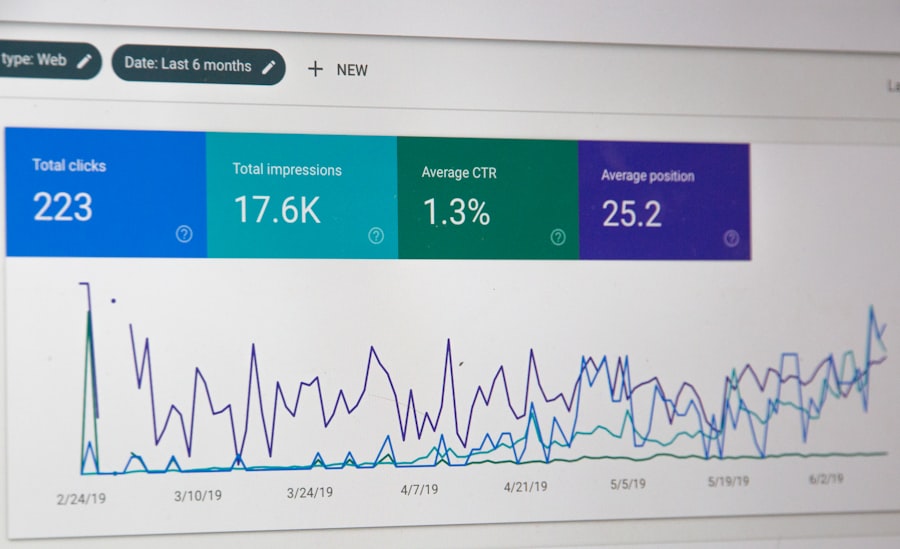
Lowering your bounce rates isn’t a one-time fix; it’s an ongoing process that requires diligent effort. Implementing the following strategies will significantly improve your deliverability.
Maintain a Clean and Validated Email List
This is arguably the most impactful step you can take. A clean list is the bedrock of good deliverability.
Implement Double Opt-in
Always use a double opt-in process for new subscribers. This means that after a user signs up, they receive a confirmation email with a link they must click to finalize their subscription. This verifies that the email address is valid and that the person genuinely wants to receive your emails, drastically reducing the chances of hard bounces and spam complaints.
Regularly Clean Your List
Don’t let inactive or bouncing addresses linger. You need to periodically remove dormant or unengaged subscribers.
Identify Inactive Subscribers
Set clear criteria for inactivity (e.g., no opens or clicks for 6-12 months). Segment these subscribers.
Run Re-engagement Campaigns
Before outright removal, try to re-engage inactive subscribers with a targeted campaign. Offer them valuable content, exclusive deals, or ask if they still want to receive emails. Provide an easy way for them to opt-out if they’re no longer interested.
Hard Bounce Removal
As mentioned, immediately remove all hard-bounced addresses from your list. Your ESP should automate this process for you, but it’s wise to verify.
Utilize Email Verification Services
Third-party email verification services can check your list for invalid, disposable, or spam trap addresses before you send any emails. This is especially useful for new lists or lists that haven’t been actively engaged. These services help preemptively remove problematic addresses, saving your sender reputation.
Enhancing Your Sender Reputation Through Best Practices
Beyond reducing bounces, adopting a holistic approach to email marketing best practices will naturally elevate your sender reputation.
Foster High Engagement and Valued Content
Your emails should be something your subscribers look forward to receiving, not an annoyance.
Personalize Your Emails
Generic emails are easily ignored. Use subscriber data (name, previous purchases, browsing history) to personalize content, recommendations, and offers. Personalization makes your emails more relevant and engaging.
Segment Your Audience
Don’t send the same email to everyone. Segment your list based on demographics, interests, purchase history, engagement levels, and other relevant criteria. Tailor your content to each segment’s specific needs and preferences, leading to higher open and click rates.
Provide Value Consistent with Expectations
Deliver what you promised when subscribers signed up. If they opted in for weekly newsletters on sustainable living, don’t send daily sales pitches for unrelated products. Consistently providing valuable, relevant content builds trust and encourages engagement.
Optimize for Mobile Devices
The majority of emails are now opened on mobile devices. Ensure your emails are responsive, load quickly, and are easy to read and interact with on small screens. A poor mobile experience can lead to quick deletions and lower engagement.
Promote Easy Unsubscribing and Listen to Feedback
Making it difficult for people to leave your list is a surefire way to get them to mark you as spam.
Clearly Visible Unsubscribe Link
Always include a clear, prominent, and easy-to-use unsubscribe link in every email. Don’t hide it or make the process convoluted. While it might seem counterintuitive to make it easy for people to leave, it’s vital. An unsubscribe is far less damaging to your sender reputation than a spam complaint.
Honor Unsubscribe Requests Immediately
When someone unsubscribes, process that request instantly. Do not send them any more emails. Compliance with unsubscribe requests is a legal requirement (CAN-SPAM, GDPR) and a fundamental aspect of good sender etiquette.
Solicit Feedback and Surveys
Occasionally ask your subscribers for feedback on your email content, frequency, and value. This not only shows you care but can also provide valuable insights into how to improve your email program and better meet their needs.
Technical Configurations and Authentications
Beyond content and list management, certain technical setups are non-negotiable for protecting your sender reputation.
Set Up SPF, DKIM, and DMARC Records
These are email authentication protocols that verify your identity as a sender and prevent spoofing (someone pretending to be you).
SPF (Sender Policy Framework)
SPF allows domain owners to specify which mail servers are authorized to send emails on behalf of their domain. ISPs check this record to ensure emails are coming from legitimate sources.
DKIM (DomainKeys Identified Mail)
DKIM adds a digital signature to your outgoing emails, allowing the receiving server to verify that the email originated from your domain and hasn’t been tampered with in transit.
DMARC (Domain-based Message Authentication, Reporting, and Conformance)
DMARC builds on SPF and DKIM, giving domain owners more control over how receiving servers handle emails that fail authentication. It also provides reporting to help you identify and prevent unauthorized use of your domain. Implementing DMARC is a strong signal to ISPs that you take email security seriously.
These authentications are crucial for proving you are who you say you are, reducing the chances of your emails being flagged as spam or phishing attempts.
Warm Up New IP Addresses
If you’re using a new dedicated IP address for sending emails (or switching ESPs that use new IPs), don’t immediately blast out a massive campaign. ISPs are wary of new, high-volume senders. You need to “warm up” the IP gradually, sending small volumes initially and slowly increasing over several weeks. This builds a positive sending history with ISPs.
To effectively reduce email bounce rates and protect your sender reputation, it’s essential to implement best practices in email marketing. One helpful resource that delves deeper into this topic is an article on email list hygiene, which emphasizes the importance of maintaining a clean and engaged subscriber list. You can read more about it in this informative piece on email list hygiene. By ensuring that your email lists are regularly updated and verified, you can significantly enhance your email deliverability and overall campaign success.
Monitoring and Continuous Improvement: Staying Vigilant
| Metrics | Recommendations |
|---|---|
| Bounce Rate | Use double opt-in for email subscriptions |
| Sender Reputation | Regularly clean your email list to remove inactive or invalid addresses |
| Spam Complaints | Provide clear and easy-to-find unsubscribe links in your emails |
| Engagement Rate | Personalize your emails and send relevant content to your subscribers |
Your work isn’t done once you’ve implemented these strategies. Email deliverability is an ongoing battle, and constant vigilance is key.
Regularly Monitor Your Email Analytics
Pay close attention to the following metrics beyond bounce rates:
Open Rates
Are people opening your emails? Low open rates can indicate subject line issues, sender reputation problems, or irrelevant content.
Click-Through Rates (CTR)
Are subscribers clicking on the links in your emails? A low CTR might suggest your calls to action aren’t compelling or your content isn’t resonating.
Unsubscribe Rates
A reasonable unsubscribe rate is normal. However, a sudden spike could mean you’ve alienated your audience or your content isn’t meeting expectations.
Spam Complaint Rates
This is the most critical metric. Aim for a spam complaint rate as close to 0% as possible. Even 0.1% can be problematic. Your ESP should provide these reports.
Utilize Deliverability Tools and Reports
Many ESPs offer detailed deliverability reports that go beyond basic bounce rates. Explore these reports to understand where your emails are landing (inbox, spam, promotions tab) and identify any specific ISPs that are causing issues. Third-party deliverability tools can also offer deeper insights, including blacklist monitoring and seed testing (sending to a panel of recipient inboxes to see where your email lands).
Stay Up-to-Date with Email Best Practices and ISP Policies
ISP policies are constantly evolving to combat new spamming techniques. What worked last year might not work today. Subscribe to industry newsletters, follow email marketing blogs, and stay informed about changes in email deliverability and privacy regulations (like GDPR and CCPA) to ensure your practices remain compliant and effective.
By diligently applying these strategies for reducing bounce rates and protecting your sender reputation, you’ll not only ensure your emails consistently reach their intended recipients but also foster greater trust with your audience, ultimately leading to more successful and impactful email marketing campaigns. Remember, a healthy sender reputation isn’t a luxury; it’s a necessity for any serious email marketer.
FAQs
What is an email bounce rate?
An email bounce rate refers to the percentage of emails that were not successfully delivered to the recipient’s inbox. Bounces can be categorized as either hard bounces (permanent delivery failures) or soft bounces (temporary delivery issues).
Why is it important to reduce email bounce rates?
Reducing email bounce rates is important because high bounce rates can negatively impact your sender reputation and deliverability. A poor sender reputation can lead to your emails being marked as spam or not being delivered at all.
What are some common causes of email bounces?
Common causes of email bounces include invalid or inactive email addresses, full mailboxes, server issues, and spam filters. It’s important to regularly clean and update your email list to reduce the likelihood of bounces.
How can I reduce email bounce rates?
You can reduce email bounce rates by regularly cleaning your email list, using double opt-in methods to verify email addresses, and monitoring your sender reputation. Additionally, following email best practices and avoiding spammy content can help reduce bounces.
How can I protect my sender reputation?
To protect your sender reputation, it’s important to consistently send relevant and engaging content, avoid sending too many emails in a short period of time, and promptly remove bounced email addresses from your list. Monitoring your sender score and addressing any issues promptly can also help protect your sender reputation.