
The Paradigm Shift to Event-Driven Communication
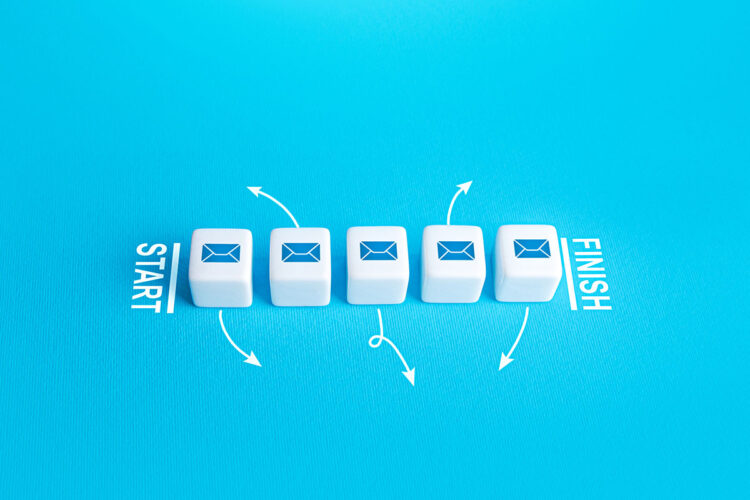
You’ve probably experienced the frustration of delayed email notifications, whether it’s a forgotten password link that arrives minutes too late, a crucial transaction confirmation that lags, or a promotional offer that’s irrelevant by the time it lands in your inbox. In today’s hyper-connected world, real-time communication isn’t just a luxury; it’s a necessity, especially when it comes to email automation. Traditional batch processing or request-response architectures often fall short in meeting these demands, introducing latency and hindering immediate responsiveness. This is where event streaming architecture steps in, offering a fundamental paradigm shift in how you conceive and implement email automation. Instead of polling for changes or waiting for scheduled jobs, your systems react instantaneously to discrete events as they occur, transforming your email outreach from a reactive process into a proactive, real-time engagement engine. This shift isn’t merely about speed; it’s about building a more resilient, scalable, and intelligent system that can respond dynamically to your users’ actions and the evolving state of your business. By embracing event streaming, you unlock the ability to deliver personalized, timely, and highly relevant emails that significantly enhance user experience and drive critical business outcomes. You move beyond sending emails based on yesterday’s data to sending emails based on what’s happening right now.
Limitations of Traditional Email Automation
You might be accustomed to email automation systems built on scheduled cron jobs or database triggers. While these approaches have served their purpose, they inherently carry significant limitations in a real-time context. Imagine a scenario where a customer completes a purchase. With a batch-processing system, the order data might be collected over an hour, then processed, and finally, a confirmation email is dispatched. This delay, however small, can lead to customer anxiety and reduced trust. Similarly, a user abandoning their shopping cart might not receive a reminder email until hours later, by which time they’ve moved on or forgotten about the items.
Another common pitfall is the reliance on polling. Your automation system might repeatedly query a database for new customer sign-ups or completed orders. This constant querying consumes valuable database resources, adds unnecessary load, and still doesn’t guarantee instantaneous detection of events. Furthermore, scaling these traditional systems to handle a growing volume of events becomes increasingly complex and resource-intensive. Each new integration often requires custom code to pull data, transform it, and push it to the email platform, creating a brittle and difficult-to-maintain architecture. You find yourself constantly battling latency, resource contention, and integration headaches, all of which detract from your ability to deliver truly impactful email experiences.
The Core Concept of Event Streaming
At its heart, event streaming is about treating every significant occurrence in your system as an immutable, ordered sequence of events. Instead of thinking about the current state of a database, you focus on the changes that lead to that state. An “event” is simply a record of something that happened at a specific point in time – a user signed up, a product was added to a cart, an order was placed, a password was reset, or a customer updated their profile. These events are captured, published to a central log (the event stream), and made available to any interested consumer in near real-time.
Think of it like a never-ending, chronological ledger of all activities within your ecosystem. When a user completes a purchase, that action generates an OrderCompleted event. This event, containing all relevant details (user ID, product details, total amount, timestamp), is then appended to a central event stream. Any service interested in this event – your email automation service, your inventory management system, your analytics dashboard – can subscribe to this stream and process the event as soon as it arrives. This decoupling of producers (the systems generating events) from consumers (the systems reacting to events) is a fundamental strength, allowing for independent scaling and development. You’re no longer tightly coupling your email system to your e-commerce platform; instead, they communicate asynchronously via a shared event backbone.
For those interested in delving deeper into the intricacies of event streaming architecture and its applications in real-time email automation, a related article titled “Harnessing the Power of Event-Driven Architecture for Modern Applications” provides valuable insights. This article explores the fundamental principles of event-driven systems and how they can enhance responsiveness and scalability in various applications. You can read it here: Harnessing the Power of Event-Driven Architecture for Modern Applications.
Key Components of Event Streaming Architecture

To fully grasp how event streaming empowers real-time email automation, you need to understand its fundamental building blocks. These components work in concert to capture, transport, store, and process events, creating a robust and scalable foundation for your real-time applications. You’re not just looking at a single piece of software, but rather an ecosystem designed for high-throughput, low-latency data flow.
Event Producers
Event producers are the source of truth for your system’s activities. These are any applications, services, or data sources within your architecture that generate events whenever a significant action or state change occurs. For real-time email automation, common event producers include your e-commerce platform, user authentication service, CRM system, payment gateway, or even your website’s front-end for user interaction tracking.
Consider an e-commerce scenario. When a customer adds an item to their shopping cart, your e-commerce application acts as a producer, generating an ItemAddedToCart event. When they proceed to checkout, a CheckoutInitiated event is produced. Upon successful payment, an OrderPlaced event is generated. Each of these events encapsulates specific data relevant to the action, such as the user ID, product ID, quantity, price, and a timestamp. The key here is that producers don’t know or care who consumes these events; their sole responsibility is to accurately and promptly publish them to the event stream. This loose coupling is crucial for system flexibility and scalability. You can add new consumers without modifying the producers, and vice versa.
Event Brokers (Streaming Platforms)
The event broker, often referred to as a streaming platform or message broker, is the central nervous system of your event streaming architecture. It acts as an intermediary between event producers and consumers, providing a reliable and scalable mechanism for transporting, storing, and delivering events. The most prominent example in this space is Apache Kafka, but other solutions like RabbitMQ or Amazon Kinesis also serve similar purposes, each with its own strengths and use cases.
The event broker typically organizes events into topics. A topic is a categorized feed of events, analogous to a database table or a message queue. Producers publish events to specific topics, and consumers subscribe to topics they are interested in. For instance, you might have a customer_events topic for user sign-ups and profile updates, an order_events topic for purchases and cancellations, and a website_interaction_events topic for page views and clicks. The broker ensures that events are persisted (often for a configurable duration) and delivered to all subscribed consumers in the correct order. This persistence is a critical feature, allowing consumers to replay events if needed (e.g., after a system failure) or for new consumers to “catch up” on past events. The broker handles the complexities of distributed messaging, fault tolerance, and high throughput, abstracting these concerns away from your application developers.
Event Consumers
Event consumers are the applications or services that subscribe to event streams, process the incoming events, and trigger subsequent actions. In the context of real-time email automation, your email dispatch service is a primary event consumer. It subscribes to relevant topics, such as order_events, user_signup_events, or cart_abandonment_events.
When the email dispatch service receives an OrderPlaced event, for example, it immediately processes the event data. This might involve fetching additional user details from a user profile service, generating a personalized email template, and then sending the order confirmation email. Similarly, upon receiving a UserSignedUp event, it triggers a welcome email. The power of event consumers lies in their ability to react instantly and independently. Multiple consumers can subscribe to the same topic without interfering with each other. This enables you to build complex real-time workflows. For instance, an OrderPlaced event could simultaneously trigger an email confirmation, update inventory, and push data to an analytics dashboard, all in parallel and in real-time. Consumers can also be designed to be idempotent, meaning processing the same event multiple times has no adverse effects, which is crucial for reliability in distributed systems.
Stream Processors
While event producers, brokers, and consumers form the core, stream processors introduce an additional layer of intelligence and transformation. Stream processors are applications that consume events from one or more topics, perform real-time computations, aggregations, transformations, or enrichments, and then often produce new, derived events to another topic. This allows you to build sophisticated real-time logic directly within your event streaming pipeline.
For real-time email automation, stream processors are incredibly valuable. Imagine you want to send an email only if a user has abandoned their cart and has previously purchased items from a specific category. A stream processor could consume ItemAddedToCart events and OrderPlaced events, maintain a real-time state of user carts and purchase history, and then, if a cart remains untouched for a certain duration and matches the category criteria, it produces a new QualifiedAbandonedCart event. Your email automation consumer would then subscribe to this derived event, ensuring emails are sent only to the most relevant segments. Other uses include real-time A/B testing decision-making, personalization based on recent browsing history, or identifying “high-value” users based on a sequence of recent actions. Tools like Apache Flink, Kafka Streams, or Spark Streaming are popular choices for building these stream processing applications. They enable you to embed complex business logic directly into your event flow, transforming raw events into actionable insights in milliseconds.
Designing Real-Time Email Automation with Event Streams

Leveraging event streaming architecture for email automation moves you beyond simple triggered emails to a sophisticated system capable of highly personalized, timely, and context-aware communication. The design process involves identifying key events, structuring your topics, and building intelligent consumers and processors that react to the dynamic state of your users.
Identifying Key Events for Email Triggers
The first step in designing your real-time email automation is to meticulously identify all relevant events that should trigger an email or influence an email’s content. This requires a deep understanding of your customer journey and business processes. Think about every significant user interaction, system state change, or transactional milestone.
Here are some common examples of events that become powerful triggers for email automation:
- User Lifecycle Events:
UserSignedUp: Triggers a welcome email sequence.UserProfileUpdated: Could trigger an email confirming changes or offering new features based on updated preferences.PasswordResetRequested: Triggers the password reset email.AccountDeactivated: Triggers a confirmation email or a survey.- E-commerce/Transactional Events:
ProductViewed: If combined with other events, could lead to personalized product recommendations.ItemAddedToCart: Triggers a cart reminder or “wishlist” email if not purchased.OrderPlaced: Triggers an order confirmation email.OrderShipped: Triggers a shipping confirmation email with tracking details.OrderDelivered: Triggers a delivery confirmation or a request for product review.PaymentFailed: Triggers an email to update payment information.SubscriptionRenewed/SubscriptionExpired: Triggers renewal confirmations or expiry notices.- Engagement/Behavioral Events:
ContentDownloaded: Triggers a follow-up email with related resources.WebinarRegistered: Triggers a confirmation and reminder email.CourseCompleted: Triggers a certificate or congratulatory email.SupportTicketOpened/SupportTicketResolved: Triggers status update emails.
For each identified event, you must define its payload – the data it carries. For example, an OrderPlaced event might include userId, orderId, totalAmount, productDetails (list of product IDs, names, quantities), and timestamp. This detailed payload is what empowers your email consumers to craft highly personalized messages.
Structuring Event Topics and Data Schemas
Once you’ve identified your key events, the next crucial step is to organize them into logical topics within your event broker and define clear data schemas for each event type. This ensures data consistency, facilitates easier consumption, and makes your entire event-driven system more maintainable.
You typically structure topics based on logical domains or event types. For instance:
customer.events: For all user lifecycle events (sign-ups, profile updates, password resets).product.catalog.events: For product updates, new arrivals, stock changes.order.lifecycle.events: For orders placed, shipped, canceled, returned.marketing.campaign.events: For specific marketing interactions (e.g., ad clicks leading to landing pages).website.interaction.events: For granular user actions on your website (page views, button clicks).
Defining a clear schema for each event type is paramount. Tools like Apache Avro or Protobuf are often used for this. A schema specifies the fields within an event, their data types, and whether they are optional or required. For example:
{
  "type": "record",
  "name": "OrderPlaced",
  "namespace": "com.example.ecommerce",
  "fields": [
    {"name": "userId", "type": "string"},
    {"name": "orderId", "type": "string"},
    {"name": "totalAmount", "type": "double"},
    {"name": "currency", "type": "string"},
    {"name": "products", "type": {"type": "array", "items": {
      "type": "record",
      "name": "ProductItem",
      "fields": [
        {"name": "productId", "type": "string"},
        {"name": "name", "type": "string"},
        {"name": "quantity", "type": "int"},
        {"name": "unitPrice", "type": "double"}
      ]
    }}},
    {"name": "timestamp", "type": {"type": "long", "logicalType": "timestamp-millis"}}
  ]
}
Using schemas provides several benefits:
- Data Validation: Ensures that producers publish events in the expected format.
- Compatibility: Allows consumers to evolve independently without breaking compatibility with older event versions.
- Documentation: Serves as clear documentation for the structure of your events.
- Serialization/Deserialization: Facilitates efficient serialization and deserialization of events, reducing overhead.
Building Real-Time Email Consumers
The heart of your real-time email automation lies in the design and implementation of intelligent event consumers. These consumers are responsible for subscribing to relevant event topics, processing the incoming data, and initiating the email dispatch process.
A typical real-time email consumer would perform the following steps:
- Subscribe to Topic(s): The consumer connects to the event broker and subscribes to one or more topics, such as
order.lifecycle.eventsandcustomer.events. - Consume Events: It continuously reads new events from the subscribed topics.
- Process Event Data: Upon receiving an event (e.g.,
OrderPlaced), the consumer parses its payload. - Enrichment (Optional but Recommended): Often, the raw event data isn’t sufficient for a rich, personalized email. The consumer might need to fetch additional information from other microservices or data stores. For an
OrderPlacedevent, it might query aUser Profile Servicefor the customer’s preferred language, first name, or loyalty status. It might also query aProduct Catalog Servicefor richer product descriptions or images to include in the email. - Templating and Personalization: Using the enriched data, the consumer selects the appropriate email template and dynamically populates it with personalized content. This includes customer names, order details, tracking links, recommended products (based on purchase history, also potentially fetched from another service), and relevant calls to action.
- Rate Limiting and Deduping: Before dispatching, the consumer should handle rate limiting to avoid overwhelming email service providers and implement deduplication logic to prevent sending the same email multiple times for idempotent events or retries.
- Dispatch to Email Service Provider (ESP): Finally, the consumer sends the fully composed, personalized email to your chosen ESP (e.g., SendGrid, Mailgun, AWS SES) for delivery. This interaction is typically asynchronous, where the ESP acknowledges receipt, and delivery tracking happens separately.
- Error Handling and Retries: Robust consumers include mechanisms for handling errors (e.g., ESP API failures, data enrichment service outages) and implementing retry policies to ensure emails are eventually sent.
You might have multiple consumers, each dedicated to a specific type of email or workflow. For example, one consumer for transactional emails (order confirmations, password resets), another for marketing automation (welcome series, abandoned cart reminders), and yet another for lifecycle emails (win-back campaigns, subscription renewals). This modularity enhances scalability and maintainability.
Leveraging Stream Processing for Advanced Automation
Beyond simple event-to-email triggers, stream processing unlocks truly sophisticated real-time email automation capabilities. By processing event streams continuously, you can derive new insights, build complex stateful logic, and trigger emails based on intricate behavioral patterns or aggregated metrics that would be impossible with stateless, direct event consumption.
Consider these advanced use cases:
- Real-time Cart Abandonment Detection with Context: Instead of just detecting an
ItemAddedToCartevent and a lack of subsequentOrderPlaced, a stream processor can monitor a user’s entire session. It can trackProductViewedevents,ItemAddedToCartevents, andCheckoutInitiatedevents. If a user adds an item, views several other items, navigates away from the cart, and then leaves the site without purchasing, the stream processor can identify this specific sequence. It can also enrich this with historical data (e.g., “Is this user a first-time buyer?”, “What’s their average order value?”) to determine if a cart abandonment email is warranted and what content it should contain (e.g., a discount for high-value carts). This leads to highly targeted and effective recovery emails. - Personalized Product Recommendations: As users browse your site,
ProductViewedevents stream into your system. A stream processor can analyze these events in real-time, identify trends, compare them against the user’s past purchase history, and even incorporate collaborative filtering to recommend similar products viewed by other users. This real-time recommendation engine can then produce aRecommendedProductsReadyevent, triggering an email with highly relevant suggestions tailored to their immediate interests. - Customer Lifetime Value (CLV) Segmentation: You can build a stream processor that continuously aggregates customer purchase history, interaction data, and engagement metrics. This processor can dynamically update a user’s CLV score or segment (e.g., “High-Value Buyer,” “At-Risk Customer”) in real-time. When a user’s segment changes (e.g., moving from “Active” to “At-Risk” due to inactivity), it can trigger a tailored email campaign designed to re-engage them.
- Fraud Detection and Alerting: For sensitive transactions, a stream processor can monitor a sequence of events (e.g., multiple password reset requests from different IPs, failed payment attempts, sudden large purchases) and, if a suspicious pattern emerges, trigger an immediate email alert to the user and/or internal security teams.
- Dynamic A/B Testing: You can use a stream processor to dynamically split users into A/B test groups based on real-time criteria (e.g., first-time visitor vs. returning visitor) and then ensure that subsequent emails triggered by events are sent using the correct variant for that user, adapting the test on the fly.
By using stream processors, you transform your event data from raw information into powerful, actionable insights that drive truly intelligent and responsive email automation. You move from “if X happens, send email Y” to “if this complex sequence of X, Y, and Z happens within a certain timeframe, and user A’s profile matches criteria B, then send email C, personalized with D, E, and F.”
Operationalizing Event Streaming for Email Automation
Deploying and managing an event streaming architecture for real-time email automation requires careful consideration of several operational aspects. You need to ensure reliability, scalability, and observability to maintain a robust and high-performing system.
Ensuring Idempotency and Exactly-Once Processing
In distributed systems, ensuring that events are processed correctly and exactly once is a critical challenge. Network failures, consumer crashes, or broker rebalancing can lead to duplicate events or events being lost. For email automation, sending duplicate emails (e.g., two order confirmations) is a poor user experience, while missing a critical email (e.g., a password reset link) can be disastrous.
You typically aim for “at-least-once” delivery from the event broker, meaning an event is guaranteed to be delivered, but might be delivered multiple times. To achieve “exactly-once” processing from your consumer’s perspective, you must implement idempotency in your email dispatch service.
- Idempotent Email Sending: Design your email dispatch logic such that processing the same event multiple times has the same outcome as processing it once. This is often achieved by generating a unique “idempotency key” for each email dispatch. When an email is about to be sent, check if an email with that specific idempotency key has already been dispatched. If so, skip sending. This key could be a combination of
eventType,userId,correlationId(from the event), andtimestamp(or a unique GUID generated per dispatch attempt). - Tracking Processed Events: Consumers should commit their offsets (the last processed event’s position in the stream) to the event broker after successfully processing the event and initiating the email dispatch. If a consumer crashes and restarts, it can resume processing from the last committed offset, avoiding re-processing already handled events.
- Transactional Outbox Pattern: For events that are generated as a side-effect of a database transaction (e.g., an
OrderPlacedevent after an order is saved to the database), the transactional outbox pattern ensures that the event is published to the broker only if the database transaction commits successfully. This prevents events from being published for failed transactions and helps maintain consistency.
By carefully implementing these patterns, you build a system that can gracefully handle failures without compromising the user experience or data integrity of your email automation.
Scalability and High Availability
One of the primary advantages of event streaming architecture is its inherent scalability and high availability, which are crucial for handling fluctuating email volumes and ensuring continuous service.
- Producer Scalability: Event producers can scale independently. As user activity increases, you can deploy more instances of your e-commerce application or user service, all publishing events to the same broker. The broker is designed to handle high ingest rates.
- Broker Scalability: Event brokers like Apache Kafka are built for distributed, fault-tolerant operation. They typically run as a cluster of servers, where data is partitioned and replicated across multiple nodes. This allows for horizontal scaling (adding more broker nodes) to increase throughput and storage capacity. If one broker node fails, others can take over seamlessly.
- Consumer Group Scalability: Event consumers can be scaled horizontally using consumer groups. A consumer group allows multiple instances of the same consumer application to collectively process events from a topic. Each partition of a topic is assigned to a single consumer instance within a group, ensuring that events within a partition are processed in order. If you need to process events faster, you simply add more instances to your consumer group. If a consumer instance fails, its partitions are automatically re-assigned to other active instances in the group.
- Disaster Recovery: High availability extends to disaster recovery strategies. Event brokers support replication across different data centers or availability zones. This means your event streams are resilient to regional outages, ensuring that your email automation can continue even in the face of significant infrastructure failures. You should also consider how your email service provider handles disaster recovery and integrate it into your overall plan.
By designing for scalability and high availability from the outset, you build an email automation system that can gracefully handle peak loads, recover from failures, and consistently deliver emails in real-time, even as your business grows.
Monitoring, Alerting, and Observability
A robust event streaming architecture demands comprehensive monitoring, alerting, and observability to ensure its smooth operation and to quickly diagnose any issues that may arise. You need to know not only if your email system is sending emails, but why certain emails are being sent, what data they contain, and how quickly they are being delivered.
- Event Broker Metrics: Monitor key metrics of your event broker (e.g., Kafka). This includes message throughput (messages/sec, bytes/sec), consumer lag (how far behind consumers are from the latest events), disk usage, CPU utilization, network I/O, and replication status. High consumer lag often indicates a bottleneck in your email consumers.
- Consumer Application Metrics: Instrument your email consumer applications to emit metrics. This includes:
- Processing Rate: How many events are processed per second.
- Email Dispatch Rate: How many emails are successfully sent to the ESP per second.
- Error Rate: Number of failures during event processing or ESP API calls.
- Latency: Time taken from event reception to email dispatch.
- Enrichment Service Latency/Errors: Monitor calls to user profile, product catalog, or other dependent services.
- Email Service Provider Metrics: Integrate with your ESP’s monitoring capabilities. Track metrics like email delivery rates, bounce rates, open rates, click-through rates, and unsubscribe rates. This provides crucial feedback on the effectiveness of your emails.
- Distributed Tracing: Implement distributed tracing (e.g., OpenTelemetry, Jaeger) across your event streaming pipeline. This allows you to trace the journey of an event from its producer, through the broker, to the consumer, and finally to the email dispatch. If an email is delayed, you can pinpoint exactly where the bottleneck occurred.
- Logging: Centralize logs from all components (producers, broker, consumers, stream processors). Use structured logging to easily search and analyze events. Crucially, log the full event payload (or relevant parts) for debugging purposes, but be mindful of sensitive data.
- Alerting: Set up automated alerts for critical thresholds. For example, alert if consumer lag exceeds a certain threshold, if email error rates spike, if broker disk usage is high, or if delivery rates drop significantly.
- Dashboarding: Create comprehensive dashboards (e.g., Grafana, Datadog) that visualize all these metrics in real-time. This provides a single pane of glass for operational health.
By having strong observability practices in place, you empower your operations teams to proactively identify and resolve issues, ensuring that your real-time email automation system consistently delivers on its promise. You gain deep insights into the health, performance, and effectiveness of your entire email communication pipeline.
In exploring the intricacies of event streaming architecture for real-time email automation, one might find it beneficial to read about the foundational concepts of event-driven systems. A related article that delves into these principles can be found here: Understanding Event-Driven Systems. This resource provides valuable insights that complement the discussion on how event streaming can enhance the efficiency and responsiveness of email automation processes. By grasping these underlying concepts, developers can better implement robust solutions that meet the demands of modern communication.
Future Trends and Strategic Considerations
| Metric | Description | Typical Value / Range | Relevance to Real-Time Email Automation |
|---|---|---|---|
| Event Throughput | Number of events processed per second | 1,000 – 100,000 events/sec | Determines how many email triggers can be handled in real-time |
| Event Latency | Time delay between event generation and processing | Milliseconds to a few seconds | Critical for ensuring timely email delivery based on user actions |
| Message Size | Average size of each event message | 1 KB – 10 KB | Impacts network bandwidth and storage requirements |
| Partition Count | Number of partitions in the event streaming platform | 10 – 100 partitions | Enables parallel processing and scalability of email triggers |
| Consumer Lag | Delay between event production and consumption | Near zero to a few seconds | Lower lag ensures emails are sent promptly after event occurrence |
| Event Retention Period | Duration events are stored in the streaming system | 1 hour to 7 days | Allows for reprocessing or delayed email triggers if needed |
| System Uptime | Percentage of time the event streaming system is operational | 99.9% and above | Ensures continuous email automation without interruptions |
| Throughput Scalability | Ability to increase event processing capacity | Linear scaling with added resources | Supports growing email volumes and user base |
As you embrace event streaming for real-time email automation, it’s essential to look ahead at emerging trends and strategic considerations that will shape the future of this powerful architecture. The landscape of data processing and user engagement is constantly evolving, and your event-driven email strategy should evolve with it.
AI and Machine Learning Integration
The fusion of AI and machine learning with event streaming architecture is unlocking unprecedented levels of personalization and automation for email. You’re moving beyond rule-based triggers to intelligent, adaptive email campaigns.
- Real-time Predictive Analytics: Stream processors, combined with ML models, can analyze incoming event streams (e.g., browsing behavior, purchase history, demographic data) to predict future actions or states in real-time. For instance, an ML model could predict a high likelihood of cart abandonment based on the sequence of
ProductViewedandItemAddedToCartevents within a session, even before the user explicitly leaves the site. This allows for proactive abandoned cart emails with tailored incentives. - Dynamic Personalization at Scale: AI can dynamically generate or select email content, subject lines, and call-to-actions based on a user’s real-time context and inferred preferences. Imagine an email whose product recommendations or even messaging tone changes based on the user’s most recent interaction with your brand just moments before the email is composed.
- Sentiment Analysis and Response: For customer service emails, stream processors could feed support ticket interactions into an NLP (Natural Language Processing) model. If the sentiment of a customer’s query is detected as highly negative, it could trigger a proactive human intervention or a specialized email acknowledging their frustration, rather than a generic automated response.
- Churn Prediction and Prevention: By continuously monitoring engagement events (e.g., app usage, email opens, feature interactions), ML models can identify users at risk of churning. This can trigger personalized re-engagement emails with targeted offers or educational content designed to retain them.
- Optimizing Send Times: While not strictly event-driven in the sense of a trigger, ML can analyze historical open rates and user activity patterns from event streams to determine the optimal individual send time for each user, even within the context of a triggered email.
Integrating AI/ML into your event streaming pipeline means your email automation becomes not just real-time, but also intelligently adaptive, learning from user behavior and optimizing outcomes continuously.
Data Governance and Privacy (GDPR, CCPA, etc.)
As you collect and process vast amounts of user data through event streams, ensuring robust data governance and compliance with privacy regulations like GDPR, CCPA, and others becomes paramount. This isn’t just a legal requirement; it’s a foundation for building user trust.
- Data Minimization: Design your event payloads to only include the necessary data for a given purpose. Avoid collecting and streaming superfluous personal identifiable information (PII).
- Consent Management: Your event streaming system must be able to respect user consent preferences. When a user opts out of marketing emails, an
Unsubscribedevent should immediately flow through the system, ensuring no further marketing emails are dispatched. Similarly, if a user revokes consent for data processing, related events or derived data should be flagged or purged according to regulations. - Data Masking and Anonymization: For non-production environments or specific analytics use cases, sensitive PII within event streams should be masked, pseudonymized, or anonymized to reduce risk. Stream processors can be used to perform these transformations in real-time before data lands in downstream systems.
- Data Retention Policies: Define clear data retention policies for your event streams. While event brokers often retain data for a configurable period, ensure that your overall data lifecycle aligns with regulatory requirements. For example, some event data might need to be purged after a certain time, even if it’s still available in the stream.
- Audit Trails: Event streams inherently provide a valuable audit trail of “what happened when.” Leverage this immutability for compliance purposes, demonstrating how user data was processed and used at specific points in time.
- Right to Be Forgotten/Data Portability: When a user invokes their “right to be forgotten,” your event-driven system needs a mechanism to effectively purge or anonymize their data across all relevant systems that consumed the events. Similarly, for data portability, you might need to extract all events related to a user. This often involves developing specific data-deletion or anonymization services that consume events or historical data.
Proactive planning for data governance and privacy from the design phase of your event streaming architecture will save you significant headaches down the line and solidify your brand’s commitment to user privacy.
The Rise of Event Mesh Architectures
While event streaming typically focuses on a single, central event broker, the concept of an “event mesh” represents an evolution towards a more distributed, interconnected fabric of event brokers across different environments, clouds, and geographical locations. This is particularly relevant for large enterprises with complex, distributed systems.
- Interconnected Event Brokers: An event mesh allows you to connect multiple event brokers (e.g., Kafka clusters, cloud-native messaging services) together. This means an event produced in one data center or cloud region can seamlessly flow to consumers in another, regardless of the underlying broker technology.
- Federated Event Sources: For global organizations, this enables a unified view of customer interactions across all regions. An
OrderPlacedevent in Europe could trigger an email from an ESP located closer to the customer, while also updating a central analytics platform in the US, all orchestrated through the mesh. - Decoupling Across Organizational Silos: Different business units or departments can maintain their own event brokers, publishing events relevant to their domain. The event mesh then provides the infrastructure to share specific events with other interested parties without tight coupling. Your marketing team’s email automation system might reside in a different cloud region or even on a different broker technology than your core e-commerce platform, but the event mesh makes seamless communication possible.
- Enhanced Resilience: By distributing your event fabric across multiple brokers and regions, you further enhance the resilience and availability of your email automation. If one part of the mesh goes down, events can still flow through other pathways.
Considering an event mesh architecture positions your real-time email automation for future growth, enabling true enterprise-wide, real-time data flow and facilitating complex, interconnected business processes across a distributed landscape. It allows you to think about events as a fundamental utility, accessible and shareable across your entire organization, rather than being confined to a single system or cluster.
FAQs
What is event streaming architecture?
Event streaming architecture is a design pattern that enables the continuous flow of data in real-time by processing and analyzing events as they occur. It allows applications to react to changes instantly, making it ideal for scenarios like real-time email automation where timely responses are crucial.
How does event streaming benefit real-time email automation?
Event streaming enhances real-time email automation by allowing systems to process incoming data and trigger email responses immediately. This ensures that users receive timely notifications or updates based on their interactions, improving engagement and user experience.
What technologies are commonly used in event streaming architecture?
Common technologies used in event streaming architecture include Apache Kafka, Apache Pulsar, and AWS Kinesis. These platforms facilitate the ingestion, processing, and distribution of event data across various applications and services in real-time.
What are the key components of an event streaming architecture?
The key components of an event streaming architecture typically include event producers (which generate events), event brokers (which manage the flow of events), event consumers (which process the events), and storage systems (which retain event data for future analysis).
How can businesses implement event streaming for email automation?
Businesses can implement event streaming for email automation by integrating event streaming platforms with their existing email systems. This involves setting up event producers to capture user interactions, configuring event brokers to handle data flow, and developing event consumers that trigger email actions based on specific events.