

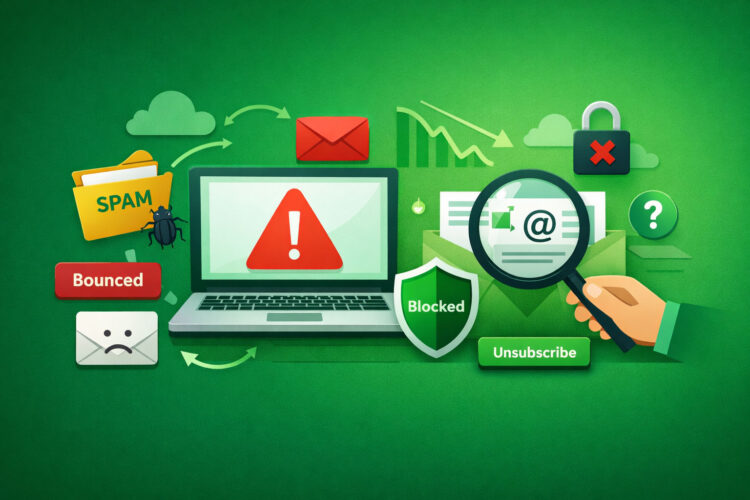
Email deliverability: the silent gatekeeper of your digital communications. You pour time and resources into crafting compelling messages, designing engaging layouts, and segmenting your audience with precision. Yet, if your emails don’t reach the inbox, these efforts are largely in vain. This article addresses common email deliverability issues, guiding you through diagnostic steps and preventative measures. Think of it as a methodical dissection of a communication problem, akin to a network engineer tracing packet loss.
Before you can troubleshoot, you must comprehend the fundamental mechanisms at play. Email deliverability isn’t a single switch; it’s a complex interplay of sender reputation, technical configurations, content quality, and recipient engagement. Imagine a postal service where every mail carrier has their own rules for accepting and delivering letters. You need to satisfy all of them.
The Role of Sender Reputation
Your sender reputation is, perhaps, the most critical factor. Internet Service Providers (ISPs) like Gmail, Outlook, and Yahoo assign a reputation score to every IP address and domain that sends email. This score is aggregated over time, much like a credit score, and is heavily influenced by your sending behavior.
How Reputation is Built and Tarnished
A positive reputation is built through consistent sending of legitimate, wanted emails: low bounce rates, high open rates, and minimal spam complaints. Conversely, your reputation can be quickly tarnished by sending to invalid addresses, being marked as spam, exceeding acceptable volume limits for a new domain, or having your IP address blacklisted. Each spam complaint is a significant negative signal, signaling to ISPs that your mail is unwelcome.
Monitoring Your Reputation
Several tools allow you to monitor your sender reputation. Services like SenderScore by Return Path (now Validity) provide a numerical rating. Blacklist monitoring tools inform you if your IP or domain has been flagged by various anti-spam organizations. Regularly checking these resources is analogous to an airline pilot checking weather reports before takeoff.
Technical Foundations: SPF, DKIM, DMARC
These three acronyms represent fundamental authentication protocols that verify your identity as a sender. They are your digital signature and return address, ensuring that your mail is genuinely from you and hasn’t been spoofed.
Sender Policy Framework (SPF)
SPF allows you to specify which mail servers are authorized to send email on behalf of your domain. It’s a DNS record that lists your legitimate sending IP addresses. When an incoming mail server receives an email from your domain, it performs an SPF check. If the sending server’s IP address isn’t listed in your SPF record, the email may be flagged as suspicious or rejected. Think of it as a bouncer checking an authorized guest list against an arriving party.
DomainKeys Identified Mail (DKIM)
DKIM uses cryptographic signatures to verify the authenticity of an email’s sender and ensure that the email content hasn’t been tampered with in transit. When you send an email, your mail server attaches a unique digital signature. The recipient’s server then uses your public key (published in your DNS records) to verify this signature. If the signatures don’t match, or if the email has been altered, DKIM fails. This is your digital wax seal, ensuring the integrity of the message’s content.
Domain-based Message Authentication, Reporting & Conformance (DMARC)
DMARC builds upon SPF and DKIM, providing a policy framework for how recipient servers should handle emails that fail SPF or DKIM checks. It also allows you to receive reports on email authentication failures. DMARC enables you to instruct receiving servers to quarantine or reject emails that don’t pass authentication, thus significantly reducing spoofing and phishing attempts using your domain. DMARC acts as the overarching security manager, enforcing the rules set by SPF and DKIM and providing audit trails.
In addition to understanding common email deliverability problems and how to fix them, it’s also important to explore the evolving landscape of email marketing strategies. A related article discusses the resurgence of plain text emails and their effectiveness in high-ticket sales, highlighting why they are making a comeback in today’s digital marketing environment. You can read more about this trend in the article here: The Resurgence of Plain Text Emails for High Ticket Sales.
Identifying Roadblocks: Common Deliverability Issues
When your emails aren’t reaching the inbox, you’re experiencing a roadblock. The challenge lies in accurately diagnosing its nature.
High Bounce Rates
A bounce occurs when an email cannot be delivered to the recipient’s server. There are two primary types of bounces: hard bounces and soft bounces.
Hard Bounces
A hard bounce indicates a permanent delivery failure. This usually means the recipient’s email address is invalid, no longer exists, or the domain name is incorrect. Sending to hard bounce addresses repeatedly harms your sender reputation. It’s akin to repeatedly sending a letter to a non-existent street address; the postal service will eventually flag you for inefficiency.
Soft Bounces
A soft bounce indicates a temporary delivery failure. This could be due to a full inbox, a server being temporarily down, or the email size exceeding the recipient’s server limits. ISPs typically attempt to redeliver soft-bounced emails for a certain period. While less damaging than hard bounces, a high volume of soft bounces can still be a red flag, indicating potential issues with your list quality or content.
Managing Bounce Rates
You should immediately remove hard-bounced email addresses from your mailing list. For soft bounces, monitor patterns. If a particular address consistently soft bounces, it might be an indication it’s effectively defunct and should be considered for removal. A good email service provider (ESP) will automatically handle bounce processing, though vigilance on your part is still required.
High Spam Complaint Rates
This is arguably the most damaging signal to your sender reputation. A spam complaint occurs when a recipient explicitly marks your email as “spam” or “junk.” ISPs consider these complaints a direct indication that your emails are unwanted.
Understanding the Impact of Spam Complaints
Even a small percentage of spam complaints can significantly harm your deliverability. If your complaint rate exceeds a certain threshold (often cited as 0.1% or 1 in 1,000 emails), ISPs may begin to actively filter your emails to the spam folder or even block them entirely. This is like a public health official issuing a contagion alert; your “infected” mail is quarantined.
Preventing Spam Complaints
The most effective prevention is to ensure your recipients genuinely want your emails. This means using double opt-in processes, setting clear expectations about email frequency and content, providing a prominent and easy-to-use unsubscribe link, and sending relevant, valuable content. Avoid sending to purchased lists, as these often contain spam traps and uninterested recipients.
Blacklisting
A blacklist is a real-time database of IP addresses or domains that have been identified as sources of spam or malicious activity. When your IP or domain is blacklisted, most email service providers will refuse to accept mail from you.
Types of Blacklists
There are numerous blacklists, operating at different levels of influence. Some are private, used by individual ISPs, while others are public, like Spamhaus and UBL. Being listed on a prominent public blacklist can cripple your email communications.
How to Check for Blacklisting
You can use online blacklist lookup tools (e.g., MXToolbox’s Blacklist Check) to see if your sending IP or domain is listed. If you are blacklisted, you’ll need to identify the cause, rectify the issue, and then follow the specific delisting procedures for each blacklist. This often involves a formal request and demonstration of corrective action. This process is similar to a company being removed from a sanctions list; you must prove rehabilitation.
Content-Related Filtering
Beyond technical authentication, the content of your emails plays a significant role in deliverability. ISPs employ sophisticated algorithms to analyze email content for characteristics associated with spam.
Trigger Words and Phrases
Certain words and phrases are frequently associated with spam, such as “free,” “winner,” “urgent,” “limited time,” excessive exclamation marks, or misleading subject lines. While a single “trigger word” won’t automatically send your email to spam, a combination of such elements can increase your spam score. Think of these as red flags in a customs inspection.
Image-to-Text Ratio
Emails that are disproportionately composed of images with very little text are often viewed with suspicion by spam filters. Spammers frequently embed their messages in images to bypass text-based filters. Aim for a balanced image-to-text ratio.
Broken Links and HTML Errors
Poorly coded HTML, broken links, or obscure link shorteners can flag your email as unprofessional or even malicious. Ensure your HTML is clean and all links are functional and point to legitimate destinations.
Spam Traps
A spam trap is an email address specifically designed to catch spammers. These addresses are not used for legitimate communication and should never be on a valid mailing list. There are two main types: pristine spam traps (never used, explicitly for trapping) and recycled spam traps (old, defunct email addresses repurposed as traps). Hitting a spam trap indicates poor list hygiene and will severely damage your sender reputation. It’s like finding a surveillance camera hidden in a seemingly innocuous location.
Proactive Strategies for Optimal Deliverability

Prevention is always less costly and less stressful than remediation. You should implement a robust strategy to maintain high deliverability.
List Hygiene and Management
Your email list is a living entity; it requires continuous care and pruning.
Double Opt-In
Implementing a double opt-in process is a golden standard. After subscribing, users receive a confirmation email with a link they must click to finalize their subscription. This verifies the email address is valid and that the user genuinely wants to receive your emails. It prevents malicious sign-ups and reduces spelling errors.
Regular List Cleaning
Beyond automatically removing hard bounces, periodically review and re-engage inactive subscribers. If subscribers haven’t opened or clicked your emails in several months, consider sending them a re-engagement campaign. If they still don’t respond, remove them from your active list. Carrying dead weight on your list negatively impacts your engagement metrics and wastes sending resources.
Segmentation
Segmenting your audience allows you to send targeted, relevant content. When recipients receive emails pertinent to their interests, they are more likely to engage (open, click) and less likely to mark your email as spam. This precision targeting enhances overall engagement, which ISPs view favorably.
Content Optimization
Crafting compelling and deliverable content is an art and a science.
Engaging Subject Lines
Your subject line is the gatekeeper to your email. It should be concise, clear, and compelling without being deceptive or sensational. Avoid ALL CAPS and excessive punctuation. Personalization can significantly increase open rates and reduce the likelihood of being marked as spam.
Clear Call to Actions
Guide your recipients. What do you want them to do? Make your call to action (CTA) prominent and unambiguous. When recipients engage with your content as intended, it sends positive signals to ISPs.
Personalization
Beyond subject lines, personalize the body of your email where appropriate. Addressing recipients by name and referencing their past interactions or interests fosters a sense of relationship and increases relevance.
Accessibility
Ensure your emails are accessible to all users, including those with disabilities. Use clear fonts, sufficient contrast, and provide alt text for images. Accessible emails reflect good sending practices.
Monitoring and Testing
Like any complex system, email deliverability requires continuous monitoring and testing.
Deliverability Tools
Utilize third-party deliverability tools that provide insights into inbox placement, spam filter testing, and sender reputation monitoring. These tools can simulate how your emails are received by various ISPs and identify potential red flags before you send to your entire list.
Sender Authentication Audits
Periodically verify your SPF, DKIM, and DMARC records to ensure they are correctly configured and remain valid. Changes to your sending infrastructure or ESPs can sometimes invalidate existing records.
A/B Testing
Experiment with different subject lines, content formats, and sending times to see what resonates best with your audience. Data-driven decisions about your email strategy will yield better engagement and, consequently, better deliverability.
Advanced Troubleshooting: When Standard Approaches Fail

Sometimes, despite your best efforts, deliverability issues persist. This is where you need to delve deeper.
Warming Up New IPs/Domains
If you’re using a new IP address or domain for sending email, you cannot immediately send large volumes. You must “warm up” your sending infrastructure. This involves gradually increasing your email volume over several weeks, starting with small batches to highly engaged subscribers. This process builds a positive sending reputation with ISPs, demonstrating that you are a legitimate sender. Imagine trying to run a marathon as a novice; you need to build up your stamina.
ISP Specific Issues
Sometimes, an issue might be isolated to a single ISP (e.g., Gmail, Outlook, Yahoo). This could be due to a specific rule or algorithm update they’ve implemented, or an isolated negative interaction.
Postmaster Pages
Most major ISPs have “postmaster” pages (e.g., Gmail Postmaster Tools, Outlook.com Postmaster) specifically for senders. These provide valuable data on your sender reputation, spam rates, and delivery errors specifically related to their service. Regularly consulting these pages can offer targeted insights.
Direct Communication with ISPs
In severe cases of blocklisting or persistent filtering by a specific ISP, you might need to directly contact their deliverability or abuse teams. Be prepared to provide detailed information about your sending practices, authentication records, and history. This is a formal appeal, requiring documented evidence of good behavior.
Feedback Loops (FBLs)
Feedback loops are programs offered by some ISPs that notify senders when a recipient marks their email as spam. When you receive an FBL report, you should immediately remove that recipient from your mailing list. Subscribing to FBLs is crucial for proactive spam complaint management. It’s an early warning system, telling you precisely who finds your mail unwelcome.
One of the key aspects of ensuring your emails reach their intended recipients is understanding the various email marketing laws that govern deliverability. For a deeper insight into how these regulations can impact your campaigns, you may find it helpful to read this informative article on improving email deliverability. By familiarizing yourself with these laws, you can better navigate common email deliverability problems and implement effective solutions.
Conclusion
| Common Problem | Description | Impact on Deliverability | How to Fix |
|---|---|---|---|
| Spam Filters | Emails flagged as spam due to content, sender reputation, or formatting. | Emails land in spam/junk folder or get blocked. | Use clean, relevant content; avoid spammy words; authenticate emails with SPF, DKIM, and DMARC. |
| Blacklisted IP or Domain | Sender IP or domain is listed on email blacklists. | Emails rejected or blocked by recipient servers. | Check blacklists regularly; request delisting; improve sending practices. |
| High Bounce Rates | Sending emails to invalid or non-existent addresses. | Reduces sender reputation and deliverability. | Regularly clean and validate email lists; remove hard bounces promptly. |
| Poor Sender Reputation | Low trust score due to spam complaints, bounces, or bad sending behavior. | Emails blocked or filtered aggressively. | Maintain list hygiene; send relevant content; monitor complaint rates. |
| Missing or Incorrect Authentication | Emails lack SPF, DKIM, or DMARC records or have misconfigurations. | Increased chance of emails being marked as spoofed or spam. | Set up and verify SPF, DKIM, and DMARC records correctly. |
| Low Engagement Rates | Recipients rarely open or interact with emails. | ISPs reduce inbox placement over time. | Segment lists; personalize content; re-engage inactive users. |
| Sending Frequency Issues | Sending too many or too few emails inconsistently. | Can trigger spam filters or reduce engagement. | Maintain consistent sending schedule; avoid sudden spikes. |
| HTML and Formatting Errors | Broken or poorly coded email templates. | Emails may not render properly or be flagged as suspicious. | Use tested, clean HTML templates; preview before sending. |
Email deliverability is not a set-it-and-forget-it endeavor. It’s an ongoing commitment to best practices, technical diligence, and consistent monitoring. By understanding the intricate factors that influence inbox placement, actively managing your sender reputation, and implementing the technical safeguards of SPF, DKIM, and DMARC, you can significantly enhance your chances of reaching your audience. Treat your email program with the meticulous care it deserves, and your messages will navigate the digital currents directly to their intended destination. You are the captain of your email vessel; ensure its compass is calibrated and its hull is sound.
FAQs
What are common email deliverability problems?
Common email deliverability problems include emails being marked as spam, emails bouncing back, poor sender reputation, blacklisting, and issues with email authentication protocols like SPF, DKIM, and DMARC.
Why do emails end up in the spam folder?
Emails can end up in the spam folder due to factors such as poor sender reputation, lack of proper authentication, spammy content or subject lines, sending to invalid email addresses, or recipients marking emails as spam.
How can I improve my email sender reputation?
To improve sender reputation, regularly clean your email list, avoid sending to inactive or invalid addresses, authenticate your emails with SPF, DKIM, and DMARC, send relevant and engaging content, and monitor feedback loops and bounce rates.
What role do SPF, DKIM, and DMARC play in email deliverability?
SPF, DKIM, and DMARC are email authentication protocols that help verify the sender’s identity and protect against email spoofing. Proper implementation of these protocols improves trust with email providers and increases the chances of emails reaching the inbox.
How can I fix emails that are bouncing back?
To fix bouncing emails, identify the bounce type (hard or soft), remove or correct invalid email addresses, ensure your sending IP is not blacklisted, check for server issues, and maintain a clean and updated email list.








