You’ve been staring at that inbox again, haven’t you? The one overflowing with newsletters, promotions, and the occasional plea for your opinion. It’s a digital battlefield, and for your emails to stand out, they need more than just a catchy subject line. They need to engage you. Not just deliver information, but invite you to participate, to explore, to feel a connection. This is where interactive email design trends come in, transforming passive recipients into active participants.
Gone are the days when a static image and a block of text were enough. Today’s savvy consumers, accustomed to dynamic and responsive digital experiences, expect more. They crave personalization, convenience, and a touch of delight. Interactive emails aren’t just a passing fad; they’re a strategic imperative for brands looking to foster genuine relationships and drive measurable results. They are the secret sauce that can elevate your email campaigns from being merely opened to being truly experienced.
Think about it. When was the last time you truly interacted with an email? Did you click a button that revealed more information? Did you answer a quick poll? Perhaps you even played a mini-game embedded within the message. These aren’t futuristic fantasies; these are the realities of modern email marketing, and mastering them is key to not only capturing your audience’s attention but also holding it. You want your emails to be the ones they look forward to, the ones that solve a problem, offer a benefit, or simply bring a smile. This article will guide you through the exciting landscape of interactive email design trends, empowering you to craft messages that resonate, captivate, and ultimately, convert.
You’ve seen it before: an email that starts with “Dear [Your Name]” and then proceeds to offer you a generic discount on something you’ve never even considered buying. It’s the illusion of personalization, and frankly, it falls flat. True personalization goes far deeper, tapping into your actual preferences, past behaviors, and even your current context. Interactive elements are the engine that drives this deeper level of engagement.
Leveraging Data for Tailored Experiences
The foundation of effective personalization lies in data. You’re not just collecting information; you’re analyzing it to understand your audience on an individual level. This means going beyond basic demographics and delving into purchase history, browsing patterns, past email interactions, and stated preferences.
Understanding Your Audience’s Journey
Each customer is on a unique journey with your brand. Are they a new subscriber just exploring? A loyal customer who’s made multiple purchases? Someone who abandoned their cart? Interactive emails can be dynamically tailored to meet them where they are. For a new subscriber, an interactive welcome series might offer a quick quiz to understand their interests, leading to personalized content recommendations. For a cart abandoner, an interactive email might feature a dynamic countdown timer to a limited-time offer on the items they left behind, creating a sense of urgency.
Predicting Future Needs and Preferences
By analyzing past interactions, you can begin to predict what your audience might be interested in next. If a customer frequently purchases a certain type of product, you can use interactive elements to suggest complementary items or early access to new releases within that category. Imagine an email that showcases a curated selection of new arrivals, with interactive “quick view” buttons that allow you to see product details without leaving the email. This not only saves time but also creates a more seamless and personalized shopping experience.
Implementing Dynamic Content Blocks
Dynamic content is about showing different content to different people within the same email. This is where the magic of interactivity truly shines. Instead of sending out multiple email versions, you can create one template that intelligently adapts based on subscriber data.
Showcasing Product Recommendations
This is a classic example. Based on browsing history or past purchases, you can dynamically populate an email with product recommendations. But to make it interactive, you can include features like image carousels that allow recipients to swipe through suggested items, or even personalized “add to cart” buttons directly within the email.
Adapting Offers and Promotions
Are some customers VIPs who deserve exclusive discounts? Do others respond better to free shipping offers? You can dynamically display different promotional banners or discount codes based on customer segmentation. This ensures that every recipient sees an offer most likely to resonate with them, increasing the chances of conversion.
Tailoring Content and Messaging
Beyond products and promotions, the actual content of your email can be dynamic. If you have a blog, you can dynamically showcase articles relevant to a subscriber’s interests. If you’re launching a new service, you can dynamically highlight features that address their specific pain points, as identified through your data. This level of tailored communication makes your emails feel less like a broadcast and more like a one-on-one conversation.
Behavioral Triggers for Timely Relevance
Behavioral triggers are actions taken by the recipient that automatically initiate a specific email. This is where timeliness and relevance reach their peak, making interactions feel natural and opportune.
Cart Abandonment Reminders with Interactive Elements
This is a prime example. If someone leaves items in their cart, an automated email can be sent. To make it interactive, you can include a dynamic image of the abandoned items, a clear call-to-action to complete the purchase, and perhaps even a limited-time offer that dynamically appears after a certain period.
Post-Purchase Engagement
After a customer makes a purchase, the engagement shouldn’t stop. You can send interactive follow-up emails that offer helpful tips on using the product, solicit reviews through embedded rating systems, or suggest related accessories. A simple star rating system within the email that instantly submits feedback is far more engaging than a link to a separate review page.
Re-engagement Campaigns
For subscribers who have become inactive, interactive emails can be a powerful tool to win them back. Think about offering a personalized “we miss you” discount that dynamically updates based on their past purchase history, or a fun, interactive survey about what they’d like to see from you.
In exploring the latest advancements in email marketing, a fascinating article titled “The Future of Email: How AI is Transforming Customer Engagement” delves into how artificial intelligence is reshaping the way brands connect with their audiences. This piece complements the discussion on interactive email design trends that improve customer engagement by highlighting the role of AI in personalizing content and optimizing user experiences. For more insights, you can read the article here: The Future of Email: How AI is Transforming Customer Engagement.
Gamification and Playful Interactions: Making Email Fun
Let’s be honest, receiving emails can sometimes feel like a chore. But what if it could be fun? Gamification, the application of game-like elements and principles in non-game contexts, is revolutionizing email marketing by injecting an element of playfulness and rewarding engagement.
The Power of Play in Marketing
Humans are naturally drawn to games. They tap into our desire for challenge, reward, and social interaction. When you bring these elements into your emails, you tap into a powerful psychological driver that can significantly boost open rates, click-through rates, and overall engagement.
Creating a Sense of Competition and Achievement
Gamified elements can foster a sense of friendly competition and the satisfaction of achievement. This can manifest in various ways within your email campaigns.
Interactive Quizzes and Trivia
These are excellent for segmenting your audience and providing personalized content. Imagine a “What’s Your Style?” quiz where clicking on different clothing items dynamically reveals your personality profile and suggests curated outfits. The reward is discovering something about yourself and receiving tailored recommendations.
Digital Scratch-Offs and Spin-the-Wheel
These provide instant gratification and a chance to win prizes. A digital scratch-off where a subscriber reveals a discount code or a special offer is incredibly engaging. Similarly, a “spin the wheel” mechanic can offer different rewards, creating excitement and encouraging repeat opens.
Leaderboards and Challenges
For more involved campaigns, you can introduce leaderboards that track progress on a specific challenge (e.g., referring friends, making purchases) and display top performers. This fosters a sense of community and encourages sustained participation.
Designing for Delight and Discovery
Gamification isn’t just about winning; it’s about the experience. The joy of discovery, the anticipation of a reward, and the sheer fun of interacting with something unexpected can leave a lasting positive impression.
Incorporating Animation and Micro-interactions
Subtle animations can bring your emails to life. Think about a spinning wheel that lands on a prize with a satisfying “ding,” or a prize box that opens with a flourish. These micro-interactions add a touch of delight and make the email feel more dynamic and engaging.
Offering Exclusive Content and Rewards
The reward itself is a crucial part of gamification. This could be a discount code, a free product, early access to a sale, or even exclusive content like a downloadable guide or a behind-the-scenes video. The perceived value of the reward will directly impact the level of engagement.
Encouraging User-Generated Content Through Gamified Challenges
You can even use gamification to encourage user-generated content. For example, a “photo contest” where subscribers submit photos of themselves using your product, with interactive voting elements within an email campaign, can generate significant buzz and authentic social proof.
The Impact on Brand Loyalty and Advocacy
When customers have fun interacting with your brand, they develop a stronger emotional connection. This positive association can lead to increased brand loyalty and turn satisfied customers into enthusiastic advocates.
Building Excitement and Anticipation for Future Campaigns
If your gamified emails are consistently fun and rewarding, subscribers will start to anticipate your next message. This creates a positive feedback loop where excitement for your brand grows with each interactive campaign.
Turning Customers into Brand Ambassadors
A customer who enjoys participating in your gamified email campaigns is more likely to share their positive experiences with friends and family, becoming an organic brand ambassador and driving word-of-mouth marketing.
Interactive Forms and Surveys: Seamless Data Collection
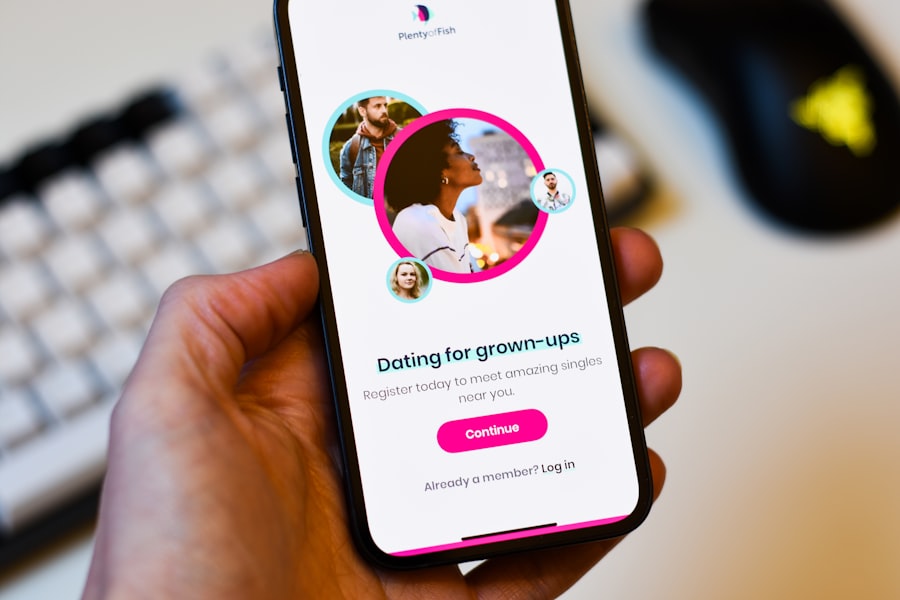
Collecting feedback and information from your audience is vital for understanding their needs and improving your offerings. Traditionally, this involved sending recipients to external survey pages, a process that often leads to drop-offs. Interactive email forms and surveys change this by bringing the data collection directly into the inbox.
Eliminating Friction in Data Gathering
The key advantage of embedding forms and surveys directly into emails is the reduction of friction. Recipients don’t need to click away, navigate to a new page, and then complete the survey. Everything happens within the familiar environment of their email client.
Embedded Surveys for Quick Feedback
Imagine receiving an email asking for your opinion on a recent purchase. Instead of a link, you see a few star ratings or multiple-choice options directly in the email. A single click submits your response. This drastically increases completion rates for quick feedback requests.
Quick Polls and Opinion Gathering
For gauging immediate sentiment or making quick decisions, embedded polls are invaluable. You can ask about product preferences, content interests, or even their mood regarding a current event. The interactivity lies in the immediate submission and the potential to see aggregated results (if you choose to share them).
Rating Systems and NPS Surveys
Net Promoter Score (NPS) surveys, which ask customers to rate their likelihood to recommend your brand, can be made much more effective with embedded interactive elements. Instead of a link, you can have the rating scale directly in the email.
Interactive Forms for Sign-ups and Registrations
Beyond surveys, you can streamline the sign-up and registration process. Instead of multiple form fields on a separate page, you can embed concise forms directly within the email, making it easier for people to join your community, register for an event, or subscribe to a newsletter.
Lead Generation Forms with Conditional Logic
You can create interactive lead generation forms that adapt based on user input. For example, if a user selects “interested in X,” the form might dynamically reveal a question specifically about X, making the lead capture process more efficient and personalized.
Event Registration with Interactive Elements
Registering for a webinar or event can be simplified. You can embed fields for name and email, and perhaps even a dropdown for session selection, all within the email itself. This reduces the steps involved and the likelihood of abandonment.
Enhancing User Experience and Conversion Rates
By making data collection more convenient and enjoyable, you not only gather more information but also improve the overall user experience, which can have a direct impact on conversion rates.
Reduced Bounce Rates on Feedback Forms
When the entire interaction happens within the email, the chances of someone clicking away and not completing the task are significantly reduced. This means you get more valuable data for your efforts.
Improved Subscriber Engagement and Loyalty
A brand that makes it easy for its customers to provide feedback and participate in surveys demonstrates that they value their opinions. This can foster a sense of being heard and appreciated, leading to increased engagement and loyalty.
Streamlined Onboarding and Information Gathering
For new subscribers or users, interactive forms can be used to gather essential information during the onboarding process. This makes the initial experience smoother and helps you understand their needs from the outset.
Ensuring Cross-Client Compatibility
It’s crucial to note that interactive elements within emails can sometimes be challenging for certain email clients. However, the technology is constantly evolving, and most major clients now support a good range of interactive features.
Graceful Fallbacks for Non-Supporting Clients
The best practice is to always have a fallback mechanism. If an interactive element isn’t supported, the email should still display a clear and functional version of the content, perhaps with a link to an external form. This ensures that no subscriber is left behind.
Testing and Optimization Across Platforms
Thorough testing across various email clients (Gmail, Outlook, Apple Mail, etc.) and devices is paramount. What looks and functions perfectly on one platform might behave differently on another. This iterative testing process is key to ensuring a smooth interactive experience for all.
Accordions, Tabs, and Carousels: Organizing Content Effectively
One of the biggest challenges in email design is conveying a lot of information without overwhelming the recipient. You want to provide comprehensive details but also maintain a clean, scannable, and engaging layout. Interactive elements like accordions, tabs, and carousels offer elegant solutions to this problem, allowing you to organize content in a structured and user-friendly way.
Decluttering Your Emails for Clarity
These interactive components act as digital filing cabinets, allowing you to store information in neat compartments that can be expanded or browsed at the recipient’s leisure. This creates a less intimidating and more digestible email experience.
Accordions: Expanding Knowledge on Demand
Accordions are perfect for FAQs, detailed product specifications, or lengthy explanations. Instead of a wall of text, you present a series of headings. Clicking on a heading expands to reveal the detailed content underneath, while other sections collapse.
Dynamic FAQ Sections
Instead of a long, scrollable FAQ page, you can embed an accordion in your email. Each question is a clickable heading, and the answer only appears when clicked. This makes it easy for recipients to quickly find the information they need without sifting through irrelevant questions.
Detailed Product Information Without Overload
For complex products, you can use accordions to break down features, specifications, and benefits into digestible sections. This allows interested customers to dive deeper into the details they care about most.
Tabs: Categorizing Information Systematically
Tabs are ideal for presenting distinct categories of information within a single email. Recipients can click on a tab to switch between different sets of content, making it easy to compare or navigate between related topics.
Comparing Product Features
If you’re showcasing multiple products or variations of a single product, tabs can be used to present their key features side-by-side. This allows for easy comparison without overwhelming the reader.
Presenting Different Service Tiers
For service-based businesses, tabs can effectively showcase different pricing tiers, feature sets, or service packages, allowing potential clients to explore their options systematically.
Carousels: Showcasing Visual Content Dynamically
Carousels are a fantastic way to display multiple images or short snippets of content in a confined space. They’re visually appealing and allow recipients to browse through a collection of items without taking up excessive room.
Product Galleries and Lookbooks
Instead of embedding dozens of product images, a carousel allows you to showcase a curated selection of your latest collection. Recipients can swipe or click through to see different items, creating a mini-digital lookbook.
Testimonials and Social Proof
A carousel can be used to display a rotating selection of customer testimonials or user-generated content. This provides powerful social proof in a visually engaging format.
Improving Scanability and User Engagement
By making your emails more organized and interactive, you significantly improve their scanability and encourage users to spend more time exploring your content.
Enabling Targeted Information Consumption
Recipients can actively choose what information they want to see, rather than passively being presented with everything at once. This personalized approach to content consumption leads to greater engagement.
Keeping Users Within the Email Experience
These interactive elements keep users engaged within the email itself, reducing the need for them to click away for further details. This maintains their focus on your message and your brand.
Creating a More Sophisticated and Modern Look
The use of accordions, tabs, and carousels lends a sense of polish and sophistication to your emails, conveying a modern and professional brand image.
Considerations for Implementation
While these elements are powerful, their effective implementation requires careful planning.
Mobile Responsiveness is Key
Ensure that your accordions, tabs, and carousels are fully responsive and function seamlessly on mobile devices, where screen real estate is often limited.
Clear Visual Cues and Navigation
Provide clear visual cues to indicate that content is expandable or switchable. Simple icons or highlighted text can guide users through the interactive elements.
Content Prioritization
Even with interactive elements, it’s important to prioritize the most important information to be visible immediately. The initial view should entice users to explore further.
In exploring the latest advancements in email marketing, a fascinating article titled 10 Email Design Tips for Higher Engagement delves into essential strategies that complement the interactive email design trends. This resource highlights how incorporating dynamic elements can significantly enhance customer interaction, making your emails not only visually appealing but also more effective in driving engagement. By understanding these design principles, marketers can create emails that resonate with their audience and encourage meaningful connections.
Countdown Timers and Interactive CTAs: Driving Urgency and Action
| Design Trend | Impact on Engagement |
|---|---|
| Interactive Images | Increase in click-through rates |
| Animated GIFs | Higher engagement and attention |
| Interactive Carousels | Improved user interaction and exploration |
| Interactive Forms | Higher conversion rates |
In the world of email marketing, timing is everything. And when it comes to driving conversions, creating a sense of urgency is a time-tested tactic. Interactive countdown timers and compelling calls-to-action (CTAs) work hand-in-hand to motivate recipients to act now.
The Psychology of Urgency and Scarcity
Humans are inherently motivated by the fear of missing out (FOMO). When something is perceived as limited in time or quantity, its desirability often increases. Interactive elements that tap into this psychology can be incredibly effective.
Countdown Timers: Real-Time Urgency in Your Inbox
A dynamic countdown timer, displaying the remaining hours, minutes, or seconds until a sale ends or an offer expires, creates an immediate sense of urgency. This visual cue is a powerful motivator for action.
Limited-Time Offers and Flash Sales
This is perhaps the most common application. Imagine an email announcing a 24-hour flash sale, complete with a live countdown timer. This prompts recipients to make a purchase before the opportunity vanishes.
Early Bird Registration and Event Deadlines
For events or webinars, a countdown timer can be used to highlight the deadline for early bird registration discounts, encouraging prompt sign-ups.
Seasonal Promotions and Holiday Sales
During peak shopping seasons, countdown timers can be used to emphasize the limited window for holiday deals, driving impulse purchases.
Interactive Calls-to-Action (CTAs): Beyond the Static Button
A CTA is the gateway to conversion, but a static, uninspired button can often be overlooked. Interactive CTAs go beyond mere aesthetics to encourage clicks and guide users through the desired action.
Dynamic Button States and Hover Effects
Subtle hover effects can add a touch of polish and provide visual feedback when a user interacts with a button. A slight color change or animation upon hovering can draw attention and encourage a click.
Personalized CTAs
Just as with other content, CTAs can be personalized based on user data. A returning customer might see a CTA like “Reorder Your Favorites,” while a new subscriber might see “Explore Our New Arrivals.”
Gamified CTAs and Micro-Interactions
Consider CTAs that are part of a larger interactive experience. For example, a CTA to “Spin to Win” or “Reveal Your Discount” adds an element of surprise and reward.
Optimizing for Conversion and Engagement
By strategically incorporating these interactive elements, you can significantly improve your email campaign’s conversion rates and overall engagement.
Increased Click-Through Rates (CTRs)
The combination of urgency and an enticing CTA is a potent recipe for driving clicks. Recipients are more likely to engage when they feel a time constraint and are clearly guided on what to do next.
Higher Conversion Rates
When recipients are motivated to act quickly and are presented with a clear path to purchase, your conversion rates are likely to see a significant uplift.
Enhanced Customer Experience
While driving urgency, it’s important to ensure the experience remains positive. Avoid overly aggressive tactics and ensure the offer is genuine and valuable.
Best Practices for Implementation
To maximize the effectiveness of countdown timers and interactive CTAs, consider the following:
Accuracy and Synchronization
Ensure your countdown timers are accurate and synchronized across all devices and email clients. Technical glitches can quickly erode trust.
Clear Value Proposition
The urgency should be tied to a clear and compelling offer. Recipients need to understand why they should act now.
Mobile Optimization
Countdown timers and CTAs must be perfectly optimized for mobile devices, as a significant portion of email opens occur on smartphones.
A/B Testing
Continuously test different countdown timer durations, CTA copy, and button designs to identify what resonates best with your audience.
Integrating Rich Media: Videos, GIFs, and Animated SVGs
In an increasingly visual world, static images are no longer enough. Integrating rich media elements like videos, GIFs, and animated SVGs into your emails can transform them from flat text into dynamic, engaging experiences that capture attention and convey information more effectively.
The Impact of Visual Storytelling in Email
Humans are visual creatures, and rich media elements tap into this inherent preference. They can tell a story, demonstrate a product, evoke emotion, and make your message more memorable.
Videos: Bringing Your Brand to Life
Embedding videos directly into emails (where supported) or using compelling thumbnail previews that link to videos can significantly boost engagement.
Product Demonstrations and Tutorials
Showcasing how your product works in a short, engaging video is far more effective than a written description. You can demonstrate features, highlight benefits, and answer potential questions visually.
Behind-the-Scenes Content and Brand Stories
Videos can offer a personal touch, allowing you to share your brand’s story, introduce your team, or give a glimpse into your company culture. This builds connection and authenticity.
Customer Testimonials and Success Stories
Seeing and hearing from satisfied customers can be incredibly persuasive. Video testimonials add a powerful layer of social proof.
GIFs: Adding Motion and Personality
Animated GIFs are a fun and engaging way to add personality and subtle animation to your emails. They’re easily digestible and can convey a lot of information or emotion quickly.
Product Feature Highlights
A GIF can quickly showcase a specific feature in action, such as a product unfolding or a software animation.
Expressing Emotions and Reactions
GIFs can be used to add humor, excitement, or emphasis to your message, making your emails feel more relatable and engaging.
Guiding Users Through Simple Actions
A short animated GIF can demonstrate a simple step in a process, like how to apply a discount code or navigate a particular part of your website.
Animated SVGs: Scalable, Lightweight, and Versatile
Scalable Vector Graphics (SVGs) offer a modern and efficient way to incorporate animations. They are resolution-independent, meaning they look sharp on any screen size, and they are generally lightweight, ensuring faster loading times.
Interactive Icons and Illustrations
Animated SVGs can bring static icons to life, providing visual feedback on hover or click. This can make your email design more intuitive and engaging.
Dynamic Data Visualizations
For emails that convey data or statistics, animated SVGs can create dynamic charts and graphs that are more engaging than static representations.
Animated Logos and Branding Elements
Adding subtle animation to your logo or other branding elements within an email can enhance brand recall and create a memorable impression.
Best Practices for Rich Media Integration
While rich media can be incredibly powerful, it’s essential to implement it strategically and thoughtfully.
Prioritize Mobile-Friendliness
Ensure that all rich media elements are optimized for mobile devices. Large video files or complex animations can slow down loading times and negatively impact the user experience on smaller screens.
Provide Fallbacks and Accessibility
Not all email clients support embedded videos or animated GIFs. Always provide a static fallback image for videos and consider the accessibility of your animations.
Keep it Concise and Relevant
Your rich media should enhance your message, not distract from it. Keep videos and GIFs short, to the point, and directly relevant to your email’s objective.
Optimize File Sizes
Large file sizes can lead to slow loading times. Compress your images, videos, and GIFs as much as possible without sacrificing quality.
Test Extensively
Thoroughly test your emails across different email clients and devices to ensure that your rich media displays and functions as intended.
By embracing these interactive email design trends, you’re not just sending emails; you’re creating experiences. You’re inviting your audience to participate, to discover, and to connect with your brand on a deeper level. The inbox is a crowded space, but with the power of interactivity, you can ensure your message not only gets seen but also truly resonates. Start experimenting, keep your audience in mind, and prepare to see your customer engagement soar.
FAQs
What are interactive email design trends?
Interactive email design trends refer to the use of dynamic and engaging elements within email marketing campaigns to enhance customer engagement. These trends can include features such as animated GIFs, interactive carousels, and live polls.
How do interactive email design trends improve customer engagement?
Interactive email design trends improve customer engagement by providing a more engaging and personalized experience for recipients. By incorporating interactive elements, marketers can capture the attention of their audience and encourage them to interact with the email content, leading to higher click-through rates and increased customer satisfaction.
What are some examples of interactive email design trends?
Examples of interactive email design trends include interactive carousels that allow recipients to swipe through multiple images or products within the email, live polls that enable recipients to provide feedback or input directly within the email, and animated GIFs that add movement and visual interest to the email content.
How can businesses implement interactive email design trends in their marketing campaigns?
Businesses can implement interactive email design trends in their marketing campaigns by using email marketing platforms that support interactive elements, such as drag-and-drop editors and customizable templates. Additionally, businesses can work with email design experts to create custom interactive elements that align with their brand and marketing goals.
What are the benefits of incorporating interactive email design trends into marketing strategies?
Incorporating interactive email design trends into marketing strategies can lead to higher engagement rates, increased click-through rates, and improved customer satisfaction. Interactive emails can also provide valuable data and insights into customer preferences and behaviors, allowing businesses to optimize their email marketing efforts for better results.