
You are embarking on a journey into the mechanics of digital communication, specifically focusing on how you, as a developer, marketer, or system administrator, can gain a deeper understanding of your email interactions. This article will guide you through the intricacies of leveraging webhooks for robust email event tracking, transforming raw data into actionable insights. Consider webhooks as your eyes and ears within the email ecosystem, providing real-time intelligence about the fate of your sent messages.
Before delving into webhooks, it is crucial to establish a foundational understanding of email events and why their monitoring is paramount. Email, despite its age, remains a primary communication channel for businesses and individuals alike. However, its effectiveness hinges on deliverability, engagement, and the prevention of issues that can hinder your 메시지를 reaching its intended destination.
What Constitutes an Email Event?
An email event refers to any significant occurrence related to the lifecycle of an email after it leaves your sending server. These events provide a granular view into the email’s journey.
- Sent: The initial confirmation that your email has been successfully handed over to the recipient’s mail server. This is analogous to a package being accepted by a courier service.
- Delivered: The recipient’s mail server has accepted the email and placed it in the recipient’s inbox or a similar processing queue. This signifies a successful hand-off at the final destination.
- Opened: The recipient has viewed the email. This is typically tracked through a small, invisible pixel embedded in the email’s HTML. It’s an indicator of initial engagement.
- Clicked: The recipient has interacted with a link within the email. This event is a stronger signal of engagement and interest in your content.
- Bounced: The email could not be delivered to the recipient. Bounces are further categorized into “soft” and “hard” bounces, providing different levels of insights into the delivery failure.
- Soft Bounces: Temporary delivery failures, such as a full inbox or a temporary server outage. Retries are often attempted.
- Hard Bounces: Permanent delivery failures, often due to an invalid or non-existent email address. These addresses should be removed from your mailing lists to maintain sender reputation.
- Unsubscribed: The recipient has opted out of receiving further communications from you. This is a critical event for compliance and maintaining healthy mailing lists.
- Complained (Spam Report): The recipient has marked your email as spam. This is a highly detrimental event for your sender reputation and requires immediate attention to understand and rectify the cause.
Why Track Email Events?
Tracking these events is not merely an academic exercise; it provides tangible benefits that directly impact your email marketing effectiveness and overall communication strategy.
- Improved Deliverability: By identifying bounces and complaints, you can proactively clean your mailing lists, thereby reducing your bounce rate and improving your sender reputation. A good sender reputation is the cornerstone of consistent deliverability.
- Enhanced Engagement Metrics: Understanding open and click rates allows you to gauge the effectiveness of your subject lines, content, and calls to action. This data empowers you to optimize future campaigns.
- Personalization and Segmentation: Event data can inform more sophisticated segmentation strategies. For example, recipients who frequently click on specific types of links can be targeted with more relevant content.
- Troubleshooting and Support: When a user reports not receiving an email, event tracking provides you with the immediate diagnostic tools to determine its fate. Was it delivered? Did it bounce? This streamlines your support process.
- Compliance and Audit Trails: For regulatory purposes, having a clear audit trail of email interactions, especially unsubscribes and complaints, can be invaluable.
- Automation Triggers: Event data can act as triggers for automated workflows. For example, a “clicked” event on a product link could trigger a follow-up email with more product information.
In addition to exploring the benefits of using webhooks for real-time email event tracking, you may find it valuable to read about maximizing advanced analytics in email marketing. This related article discusses how to unleash the power of analytics to improve your campaigns and drive better results. You can check it out here: Maximizing Mumara Advanced Analytics.
The Power of Webhooks: Real-time Communication
Now that you understand the significance of email events, you must consider the mechanism by which you receive this information. Polling an API at regular intervals to check for new events is an option, but it is inefficient and creates unnecessary load. This is where webhooks enter the picture, offering a superior, event-driven approach.
What is a Webhook?
Imagine a hotline your email service provider (ESP) calls whenever something significant happens to your email. That hotline is your webhook. In technical terms, a webhook is an automated message sent from an application when a specific event occurs. It is an HTTP POST request sent to a URL you provide. The request body contains a payload of data describing the event.
- Event-Driven: Unlike polling, where you repeatedly ask for updates, webhooks push updates to you as they happen. This is akin to a postal service delivering mail to your doorstep compared to you constantly checking your mailbox at the post office.
- Real-time Information: The asynchronous nature of webhooks provides you with near real-time data, enabling immediate reactions to critical events.
- Reduced Server Load: You only receive data when an event occurs, eliminating the need for your systems to constantly query the ESP’s API, thus reducing unnecessary network traffic and server strain.
How Webhooks Function in Email Tracking
When you configure webhooks with your ESP, you essentially tell them, “When X event happens to my emails, send a notification to this URL.” Your ESP then acts as the sender, and your provided URL acts as the receiver.
- Event Occurs: An email event, such as a “delivery” or “bounce,” takes place within your ESP’s system.
- Webhook Triggered: The ESP’s system recognizes the event and triggers the configured webhook.
- HTTP POST Request: The ESP sends an HTTP POST request to your specified webhook URL.
- Payload Sent: The request body contains a JSON or XML payload detailing the event, including information like the recipient’s email address, the event type, a timestamp, and any relevant error codes.
- Your Server Processes: Your server, listening at the webhook URL, receives the POST request. You then parse the payload and process the event data according to your application’s logic.
Implementing Webhooks: A Practical Guide
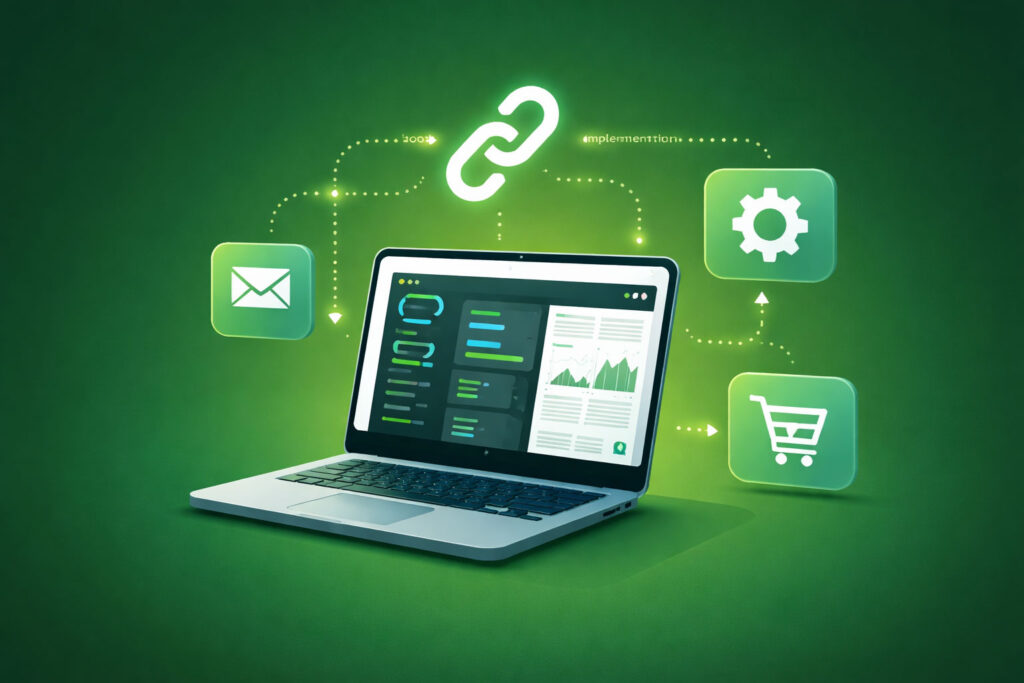
Setting up webhooks involves a few key steps, from configuration within your ESP to developing the endpoint on your server that will receive and process these events.
Choosing Your Email Service Provider (ESP)
Virtually all modern ESPs offer webhook functionality. Popular examples include SendGrid, Mailgun, Postmark, Amazon SES, and SparkPost. It is crucial to select an ESP that provides robust webhook capabilities, clear documentation, and a reliable infrastructure.
Configuring Webhooks with Your ESP
This step typically involves logging into your ESP’s dashboard and navigating to the webhook or event notification settings.
- Specify Your Webhook URL: This is the public URL where your ESP will send event notifications. It needs to be accessible from the internet.
- Select Event Types: You will choose which specific email events you want to track (e.g., delivered, opened, clicked, bounced).
- Security Measures (Optional but Recommended): Many ESPs offer security features like signing webhook payloads with a shared secret. You should verify this signature on your server to ensure the request genuinely originated from your ESP and has not been tampered with. This acts as a digital fingerprint for the incoming data.
Developing Your Webhook Endpoint
Your webhook endpoint is a server-side application (e.g., written in Python, Node.js, PHP, Ruby) that listens for incoming HTTP POST requests at the specified URL.
- Listener/Router: Your application needs to be configured to route incoming POST requests to a specific handler function when they arrive at your webhook URL.
- Payload Parsing: Upon receiving a request, you must parse the POST request body, which typically contains a JSON or XML payload. Extract the relevant event data, such as
event_type,recipient_email,timestamp,message_id, and any error details. - Data Validation and Security:
- Signature Verification: If your ESP signs webhooks, you must implement logic to verify this signature using the shared secret. If verification fails, reject the request.
- Input Validation: Sanitize and validate all incoming data to prevent potential security vulnerabilities like injection attacks.
- Event Processing Logic: This is where you define what happens with the received event data. Examples include:
- Logging: Store the event data in a database for later analysis, reporting, and auditing.
- Updating User Records: Mark an email as “delivered” or “bounced” in your internal customer relationship management (CRM) system.
- Triggering Follow-up Actions: If an email is opened, add the user to a “engaged users” segment. If it bounces, quarantine the email address.
- Alerting: Notify an administrator if a high volume of complaints or bounces is detected.
- Response to ESP: Your webhook endpoint should respond to the ESP’s POST request with an HTTP 200 OK status code to acknowledge successful receipt of the event. Any other status code (e.g., 4xx or 5xx) typically indicates a failure, and the ESP might retry sending the webhook.
Leveraging Event Data for Advanced Insights

Collecting event data is only the first step. The true value lies in how you analyze and act upon this information to optimize your email strategy.
Building Analytics and Dashboards
Once your webhook endpoint is populating your database with email event data, you can begin to visualize and analyze trends.
- Key Performance Indicators (KPIs): Track metrics like open rates, click-through rates, bounce rates, and unsubscribe rates over time.
- Segmented Analysis: Divide your email audience into segments based on engagement. For example, compare the open rates for “new subscribers” versus “long-term customers.”
- Campaign Performance: Evaluate the effectiveness of individual email campaigns by analyzing their respective event metrics. Identify top-performing content and subject lines.
- Deliverability Monitoring: Create alerts for sudden spikes in bounce rates or complaint rates, indicating potential issues with your sending practices or list hygiene.
Automating Workflows Based on Events
Webhooks transform static email campaigns into dynamic, responsive communication flows.
- Drip Campaigns and Onboarding: If a user clicks on a particular product link, trigger a series of follow-up emails providing more information about that product.
- Re-engagement Campaigns: If a user hasn’t opened an email in a significant period (e.g., 60 days), you can automatically send a re-engagement email.
- Lifecycle Marketing: Based on user behavior (e.g., “cart abandonment” emails triggered by a click on a product but no subsequent purchase), automate relevant communication.
- List Hygiene Automation: Automatically remove hard-bounced addresses from your active mailing lists to protect your sender reputation. Consider quarantining soft-bounced addresses for a period before removing them if they continue to bounce.
In the realm of digital communication, understanding user engagement is crucial, and utilizing webhooks for real-time email event tracking can significantly enhance this understanding. For those looking to delve deeper into the benefits of effective email strategies, an insightful resource can be found in the article on why you need paid newsletters. This piece highlights the importance of monetizing your email efforts and can be accessed through this link. By integrating these concepts, marketers can create a more robust approach to their email campaigns.
Ensuring Reliability and Scalability
| Metric | Description | Example Value | Importance |
|---|---|---|---|
| Event Type | Type of email event received via webhook | Delivered, Opened, Clicked, Bounced | High – Identifies user interaction and delivery status |
| Timestamp | Time when the event occurred | 2024-06-01T12:34:56Z | High – Enables real-time tracking and analytics |
| Email ID | Unique identifier for the email message | abc123xyz | High – Links event to specific email |
| Recipient Email | Email address of the recipient | [email protected] | Medium – Useful for user-level tracking and segmentation |
| Event Source IP | IP address from which the event was triggered | 192.168.1.1 | Low – Can be used for security and fraud detection |
| Webhook Response Time | Time taken to receive and process the webhook event | 150 ms | Medium – Important for performance monitoring |
| Retry Count | Number of times webhook delivery was retried | 0 | Medium – Indicates reliability of webhook delivery |
Your webhook implementation is a critical component of your email infrastructure. You must design it for robustness and the ability to handle varying loads.
Robust Error Handling and Retries
Failures are inevitable in distributed systems. Your webhook endpoint must gracefully handle errors.
- Idempotency: Design your processing logic to be idempotent. This means that if the same webhook event is received multiple times (due to retries from the ESP), processing it multiple times will not lead to undesirable side effects (e.g., incrementing a counter multiple times).
- Retry Mechanisms: Your ESP will likely have its own retry mechanism for failed webhook deliveries. Understand its policy (e.g., how many retries, what delay between retries).
- Dead Letter Queues (DLQ): For events that consistently fail to process even after retries, consider moving them to a dead letter queue. This allows you to investigate and manually process these problematic events without blocking subsequent events.
- Circuit Breakers: Implement circuit breakers to prevent your system from repeatedly attempting to process a consistently failing operation, thereby allowing it to recover.
Scaling Your Webhook Infrastructure
As your email volume grows, your webhook infrastructure must scale to match the increased load.
- Asynchronous Processing: Instead of directly processing every webhook event synchronously, consider putting events onto a message queue (e.g., RabbitMQ, Kafka, AWS SQS). A separate set of workers can then pull events from the queue and process them asynchronously. This decouples the receiving and processing of events, improving responsiveness and fault tolerance.
- Load Balancing: If your webhook endpoint is receiving a high volume of requests, distribute the load across multiple instances of your application using a load balancer.
- Database Optimization: Ensure your database can handle the write volume generated by incoming events. Consider using appropriate indexing and database scaling strategies.
- Monitoring and Alerting: Implement comprehensive monitoring of your webhook endpoint’s performance, processing times, error rates, and resource utilization. Set up alerts to notify you of any anomalies or potential issues.
In conclusion, leveraging webhooks for email event tracking transforms your email communication from a “fire and forget” operation into a dynamic, data-driven system. By embracing this technology, you gain unparalleled visibility into the lifecycle of your emails, empowering you to make informed decisions that enhance deliverability, engagement, and ultimately, the efficacy of your digital outreach. Treat webhooks as your intelligent informants, constantly relaying vital intelligence from the front lines of your email campaigns.
FAQs
What are webhooks in the context of email event tracking?
Webhooks are automated messages sent from an email service provider to a specified URL in real-time, notifying about specific email events such as deliveries, opens, clicks, bounces, or complaints. They enable immediate data transfer without the need for polling.
How do webhooks improve real-time email event tracking?
Webhooks provide instant notifications of email events as they occur, allowing businesses to react promptly to user interactions, update databases, trigger workflows, and enhance customer engagement without delay.
What types of email events can be tracked using webhooks?
Common email events tracked via webhooks include message deliveries, opens, clicks on links, bounces (both soft and hard), spam complaints, unsubscribes, and sometimes even email replies, depending on the email service provider.
How do I set up webhooks for email event tracking?
To set up webhooks, you typically configure a webhook URL in your email service provider’s dashboard or API settings. This URL is an endpoint on your server that can receive and process incoming HTTP POST requests containing event data in real-time.
Are there any security considerations when using webhooks for email tracking?
Yes, security is important. It is recommended to validate incoming webhook requests by verifying signatures or tokens provided by the email service provider, use HTTPS to encrypt data in transit, and implement authentication and rate limiting to protect your webhook endpoint from unauthorized access or abuse.